Ascendo vs Enterprise Search
Enterprise search indexes content across company applications and returns the most relevant documents or a generated summary, so a person still has to work out the fix. Ascendo is built for service resolution: it reasons over resolved cases, manuals and asset history to propose the likely cause and repair steps, citing the sources behind each one.
Enterprise search
Works from
- Documents across company apps
Delivers
Relevant documents, or a summary of them
pixels.png&w=48&q=75)
Ascendo
Works from
- Resolved cases
- Manuals
- Runbooks
- Asset history
Delivers
The likely cause and repair steps, with sources
reduction in resolution timesInfinera · customer case study
Where the difference actually is
Enterprise search — tools such as Glean, Coveo and Moveworks — solves a real and general problem: information scattered across dozens of applications, with nobody sure where the current version lives. Modern platforms index those sources, respect permissions and increasingly generate a summary answer rather than a list of links. For finding a policy, a specification or the right colleague, that is exactly the right tool.
Service resolution is a narrower problem with a different finish line. A technician does not need the most relevant document about a fault; they need the likely cause on this asset and the steps that fixed it last time. That answer is rarely in any single document. It is spread across resolved cases, logs and asset history, and it has to be reasoned out rather than retrieved.
What this looks like in Ascendo
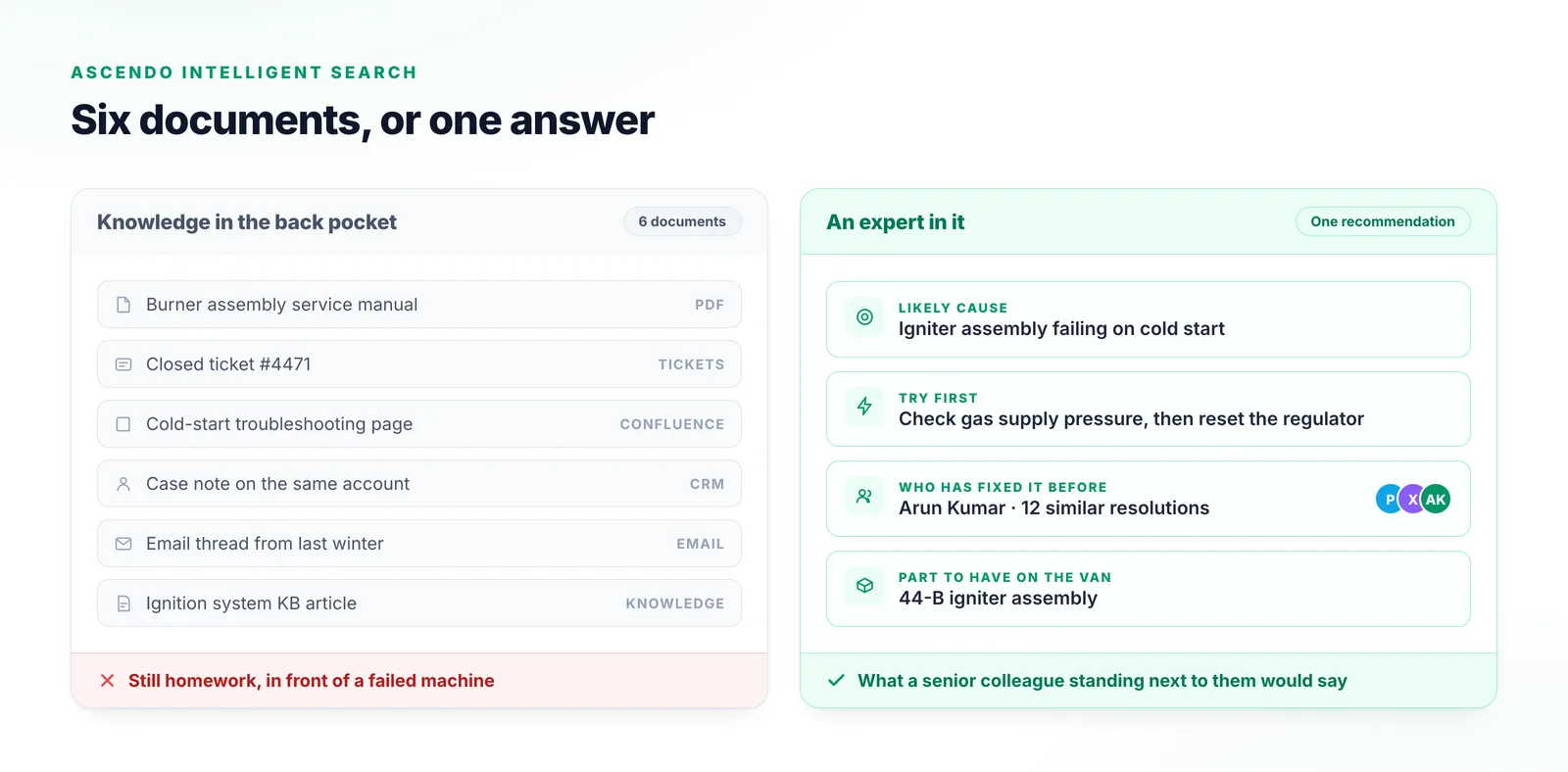
How they differ
| Dimension | Enterprise search | Ascendo |
|---|---|---|
| What it returns | Enterprise searchThe most relevant documents, or a generated summary with links to them. | AscendoA likely cause and repair steps for the fault in hand, with the sources behind them. |
| Scope | Enterprise searchCompany-wide: every department, every application, every kind of question. | AscendoService operations: cases, manuals, runbooks, logs and asset records. |
| Unit of knowledge | Enterprise searchDocuments and pages. | AscendoResolved cases and fault patterns, as well as documents. |
| Asset context | Enterprise searchNot modelled. A document about a product reads the same for every installation. | AscendoReasons about the specific asset — its configuration and its fault history. |
| Measured by | Enterprise searchRetrieval quality: did the right document come back. | AscendoResolution: was the fault fixed first time, without escalation. |
| After the answer | Enterprise searchStops at the answer. Acting on it is a separate step for a person. | AscendoCan act in the systems of record — categorise, route and update the case. |
Which one you actually want
Neither answer is right for everyone. These are the conditions that decide it.
Stay with enterprise search when
- The problem is company-wide findability — policies, specifications, people and documents across every department — rather than resolving service issues.
- Service questions are a small share of what employees ask, so one general tool covering everyone is the better investment.
- Answers already exist as well-maintained documents, and the job is getting people to the right one quickly.
- One search layer across every application is the priority now, and service-specific reasoning can follow later.
Ascendo fits better when
- Technicians find the right documents and still escalate, because the fix is not written in any of them.
- The knowledge that resolves faults lives in closed cases and asset history rather than in documents.
- Success is measured in resolution time, first-time fix and escalations, not in search clicks.
- Answers have to be specific to the asset and configuration in front of the technician.
Frequently Asked Questions
See it against your own service data
The honest way to settle a comparison is to run it on your own cases and assets rather than on anyone’s feature table.