Resolution Agent

Slack as a support channel

Enterprise customers increasingly expect a shared Slack channel rather than a ticket portal, and support operations needs something a shared channel does not naturally provide: a record, an SLA and a way to report on it. This is running one without giving up the other.

  • Shared channels behave like a real support channel
  • Conversations captured, tracked and resolved
  • The audit trail operations depends on stays intact
  • Customers keep the experience they asked for

Watch the full tour

Verify your work email once and every research paper, case study and product tour on ascendo.ai opens, right here, without leaving the page.

  • Takes about 30 seconds
  • Work email only, no spam

Your best customers want Slack. Your operation needs a record.

High-touch enterprise accounts increasingly ask for a shared channel, and they are not being unreasonable. It is faster, it is where their engineers already are, and it feels like a relationship rather than a queue.

The problem is what a shared channel is not. No ticket, no SLA clock, no reporting. So support runs two systems — the real one, and the one your largest accounts actually use — and the second is invisible to every metric you manage the first with.
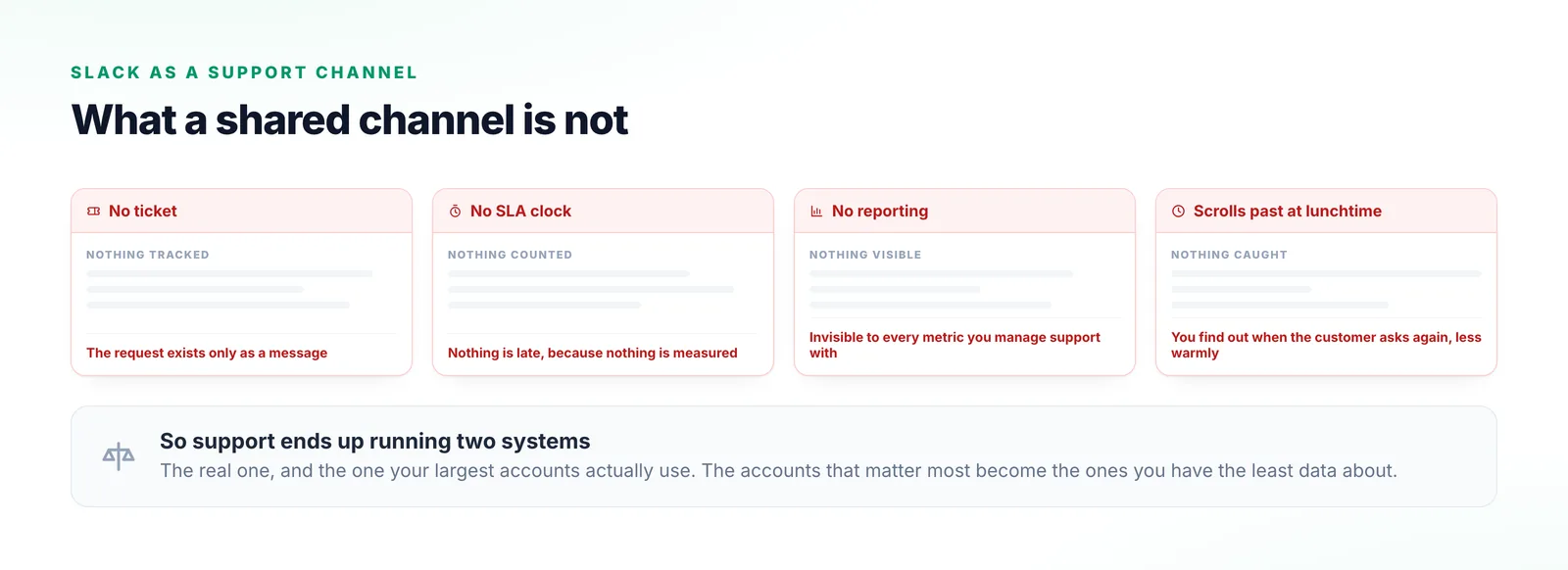
Four cards naming what a shared customer channel does not provide: no ticket, no SLA clock, no reporting, and a request that scrolls past unnoticed while somebody is at lunch.
None of these are reasons to refuse the channel. They are the four things support operations has to get back another way.

Making a channel behave like a channel

All four happen on your side. The customer’s experience is deliberately unchanged.

  1. Step 1

    Capture the request

    A message in a shared channel is recognised as a support request and enters the same queue as email, chat and portal.

  2. Step 2

    Understand and prioritise it

    It is categorised like anything else, so it is prioritised on content rather than on who happened to be watching.

  3. Step 3

    Track it against a commitment

    It carries a state and an SLA instead of scrolling away, so something unanswered surfaces before the customer raises it again.

  4. Step 4

    Keep the record

    The conversation and how it resolved are retained, so reporting covers your Slack accounts too.
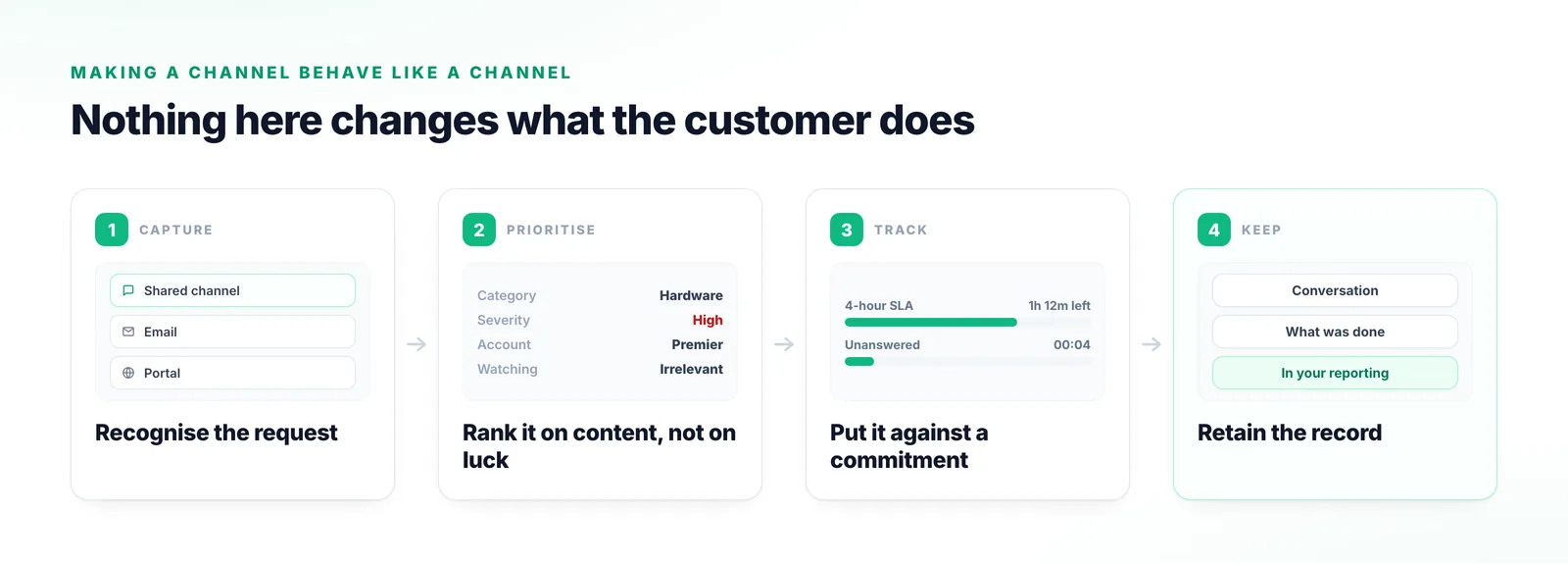
Four stages showing a customer message in a shared channel recognised as a request, categorised and prioritised on its content, tracked against an SLA, and retained as a record for reporting.
All four happen on your side of the channel. The customer types a message and sees a reply, exactly as before.

Both halves, without trading one for the other

The customer keeps the channel. You get the record.

The customer keeps what they asked for

None of this changes the customer’s experience. They wanted a conversation with people who know their environment, and that is still what they have.

Support operations stops flying blind

A channel with no record is invisible to every metric you run, which makes your largest accounts the ones you have least data about.

The same assistance is available

A request arriving in Slack reaches the same manuals, cases and knowledge as one arriving by email. Your most important customers should not be on the least-supported channel.
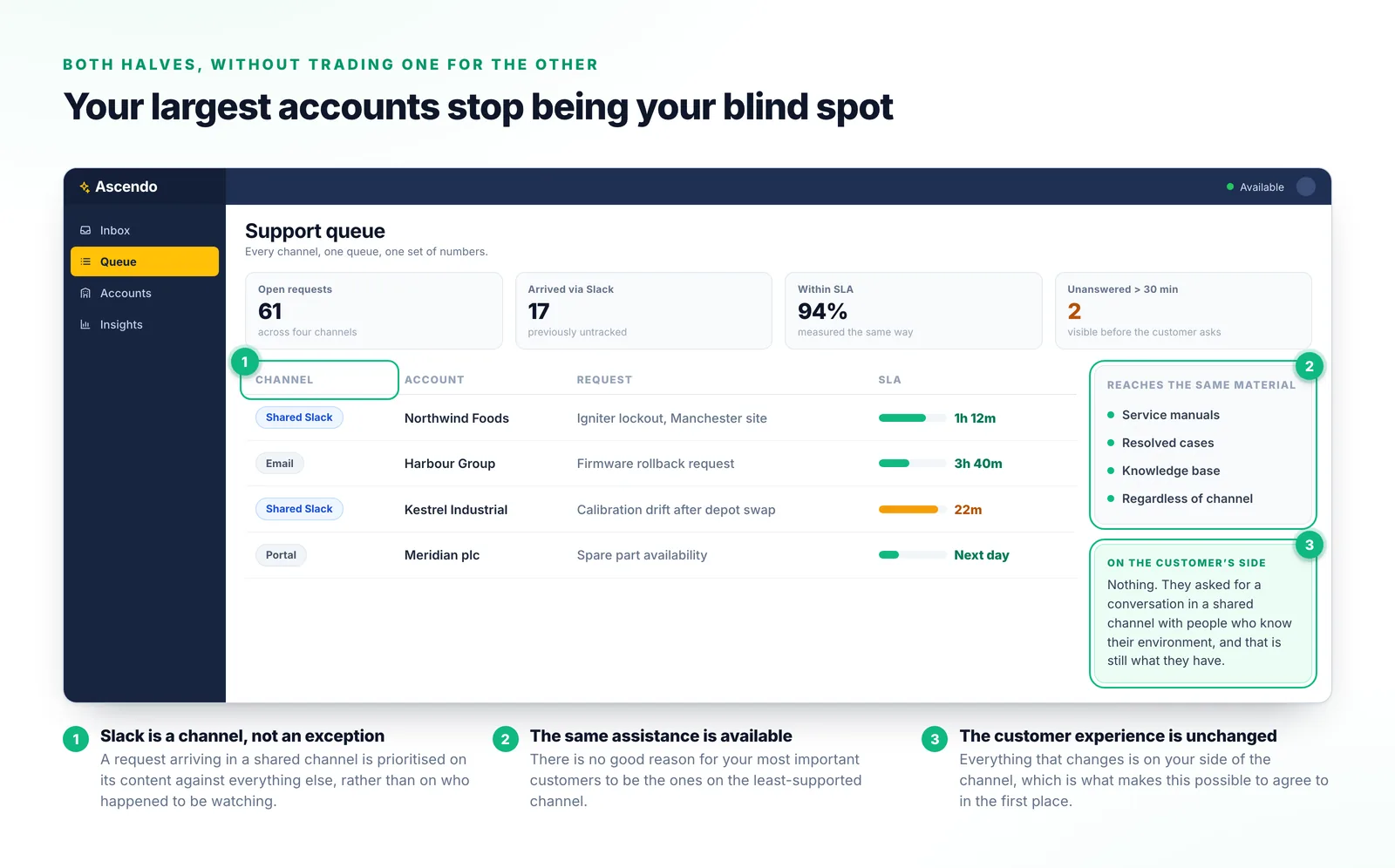
A support queue listing requests from a shared Slack channel beside email and portal requests, each with an SLA state, showing the Slack rows measured on exactly the same basis.
The channel column is the only thing that distinguishes the Slack rows here — everything used to manage them is identical.

Why the usual approaches fall short

The third one is the most dangerous, because the reporting looks complete.

A shared channel with no tooling

Fast and personal, and completely invisible. A request missed at lunchtime stays missed.

Refusing Slack and pointing at the portal

Defensible on process grounds, and it costs goodwill with accounts who will use Slack anyway.

Manually copying Slack requests into tickets

Somebody does it when they remember. Partial coverage is worse than none, because the reporting looks complete.

A separate Slack-only workflow

Two processes, two sets of numbers, and no way to compare Slack accounts against everybody else.
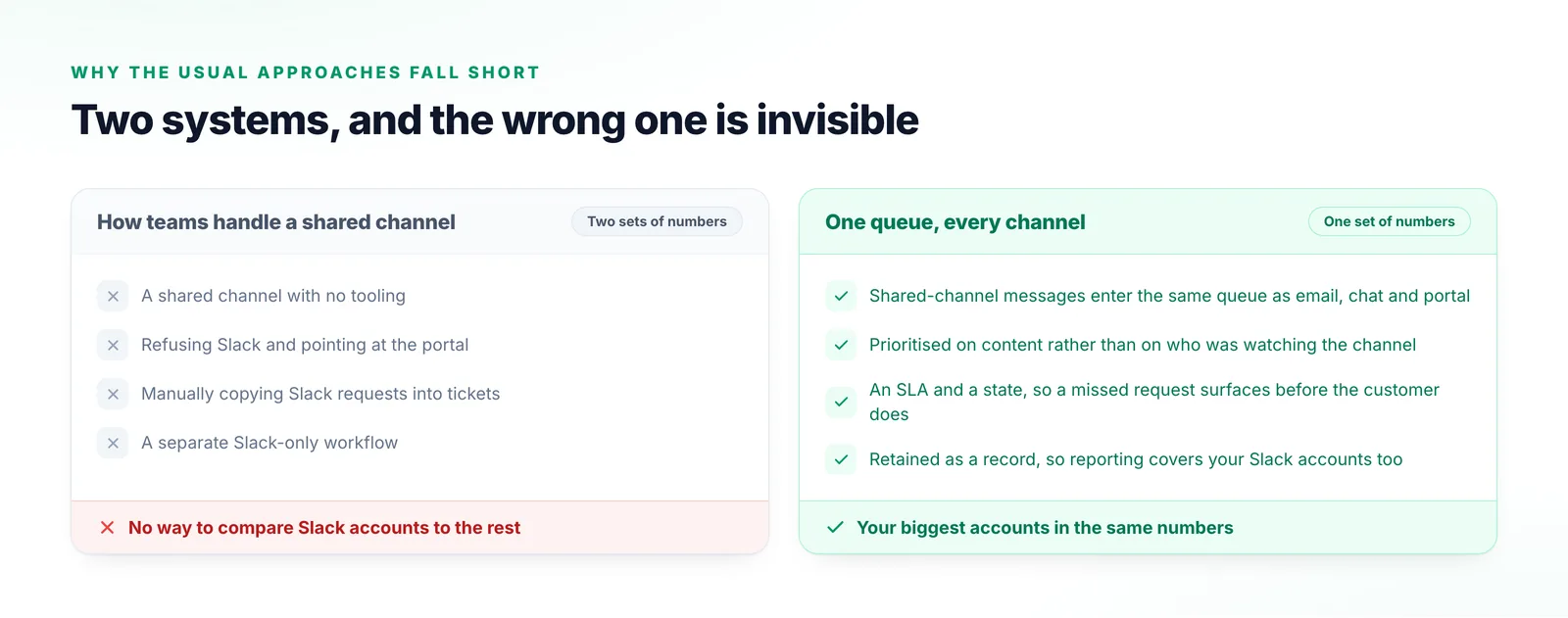
Two columns comparing an untooled shared channel, refusing Slack, manually copying requests into tickets and a Slack-only workflow with bringing the channel into the existing queue.
Partial copying is the dangerous one: the reporting looks complete while missing whatever nobody remembered to copy.

What things are called

The operational vocabulary a shared channel usually lacks.

Shared channel
A Slack channel containing people from both your organisation and the customer’s.
Audit trail
The retained record of what was asked, what was done and how it resolved.
AI Inbox
The single queue every channel arrives into, Slack included.
SLA
The commitment attached to a request, and the clock that has to run against it.
Issue management
Running the state of open work from Slack, including surfacing what has stalled.

Frequently Asked Questions

No, and that is the point. They keep the shared channel they asked for. What changes is that on your side the request is captured, prioritised, tracked and recorded like anything else in the queue.

Support Channels

Bring your shared channels into view

If your largest accounts are on Slack, they are probably your least measured. Tell us how you run them today and we will show you what visibility over them looks like.

Talk to us