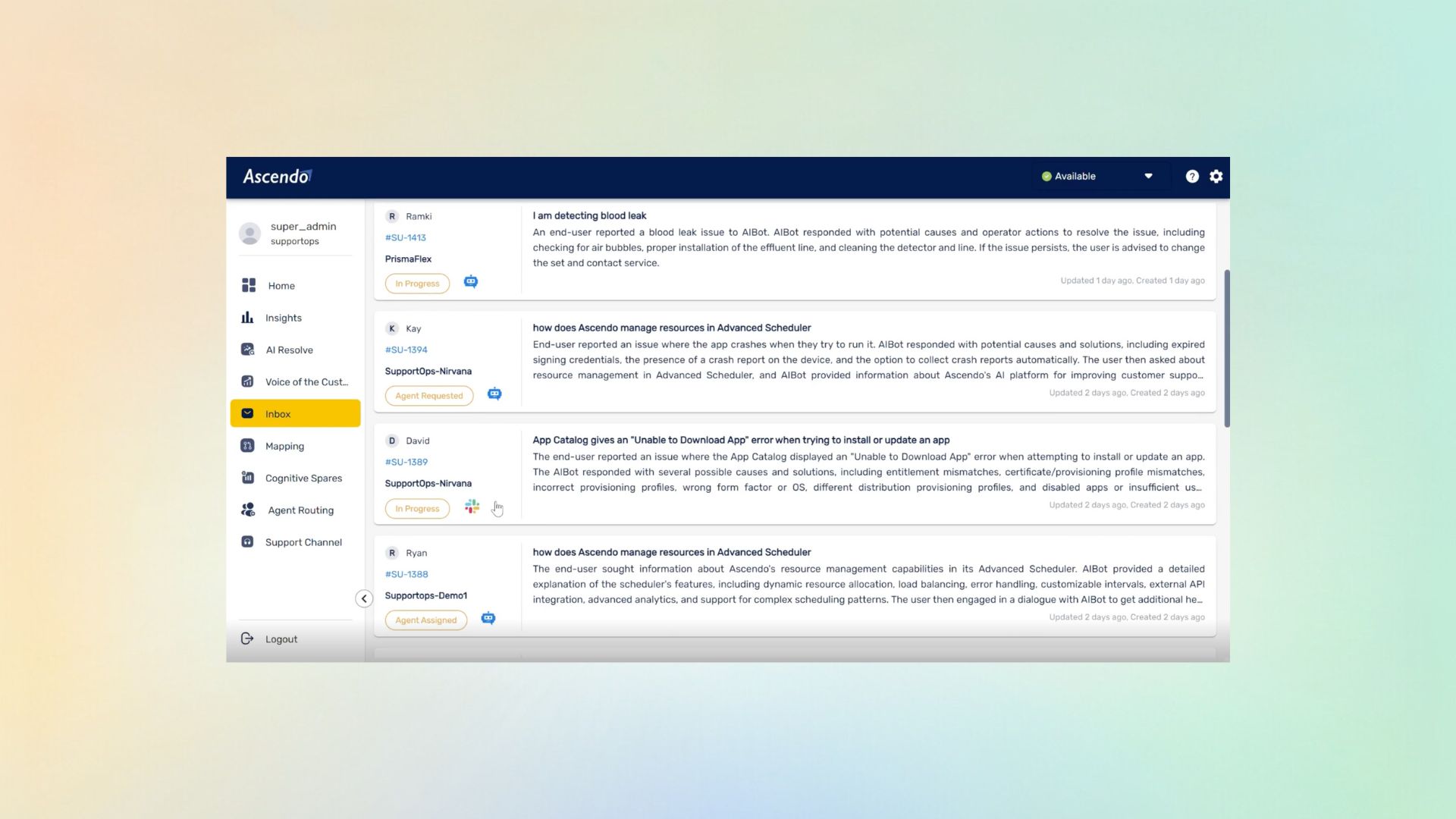
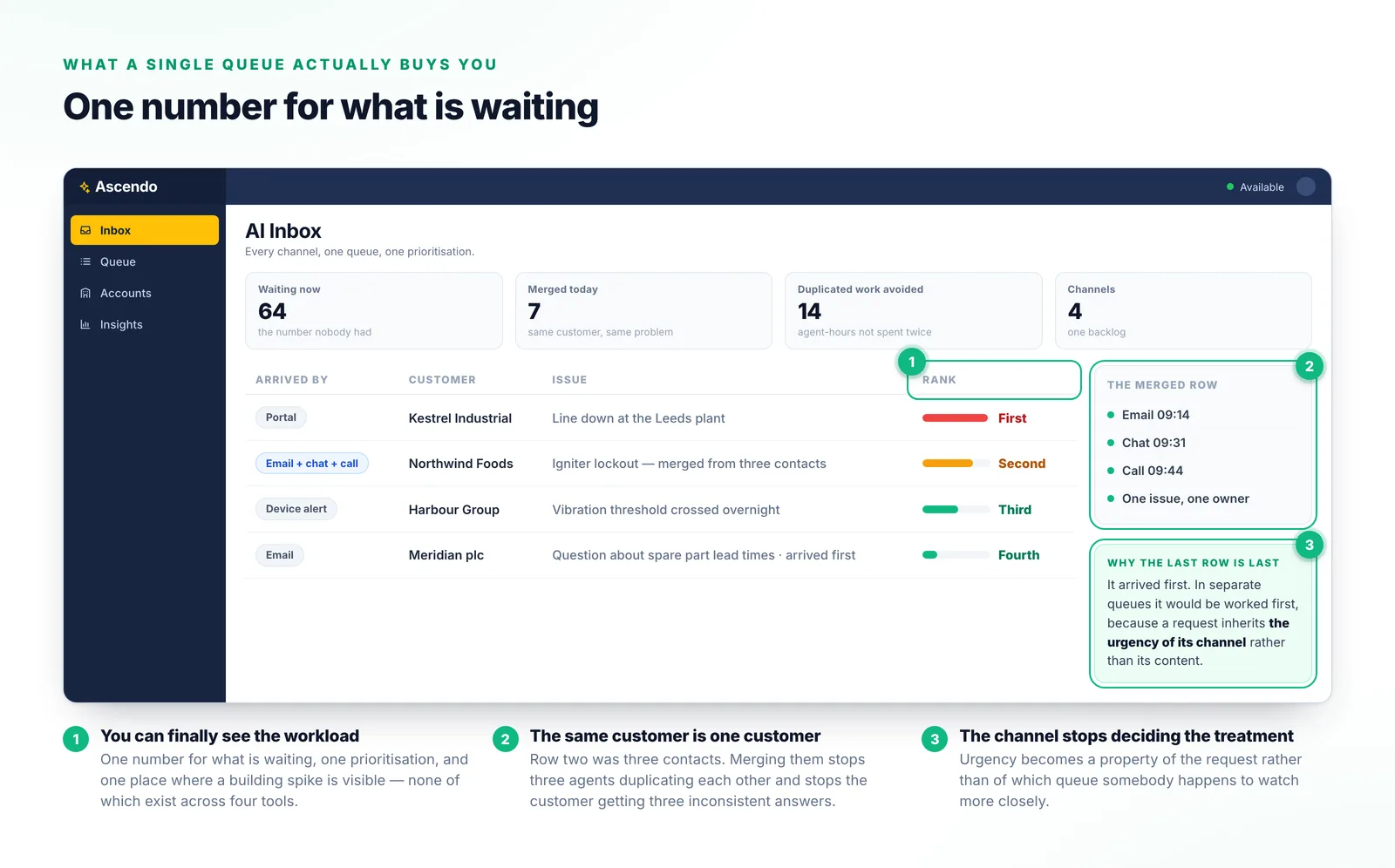
You can finally see the workload
One queue means one number for what is waiting, one prioritization, and one place where a building spike is visible — none of which exist across four tools.
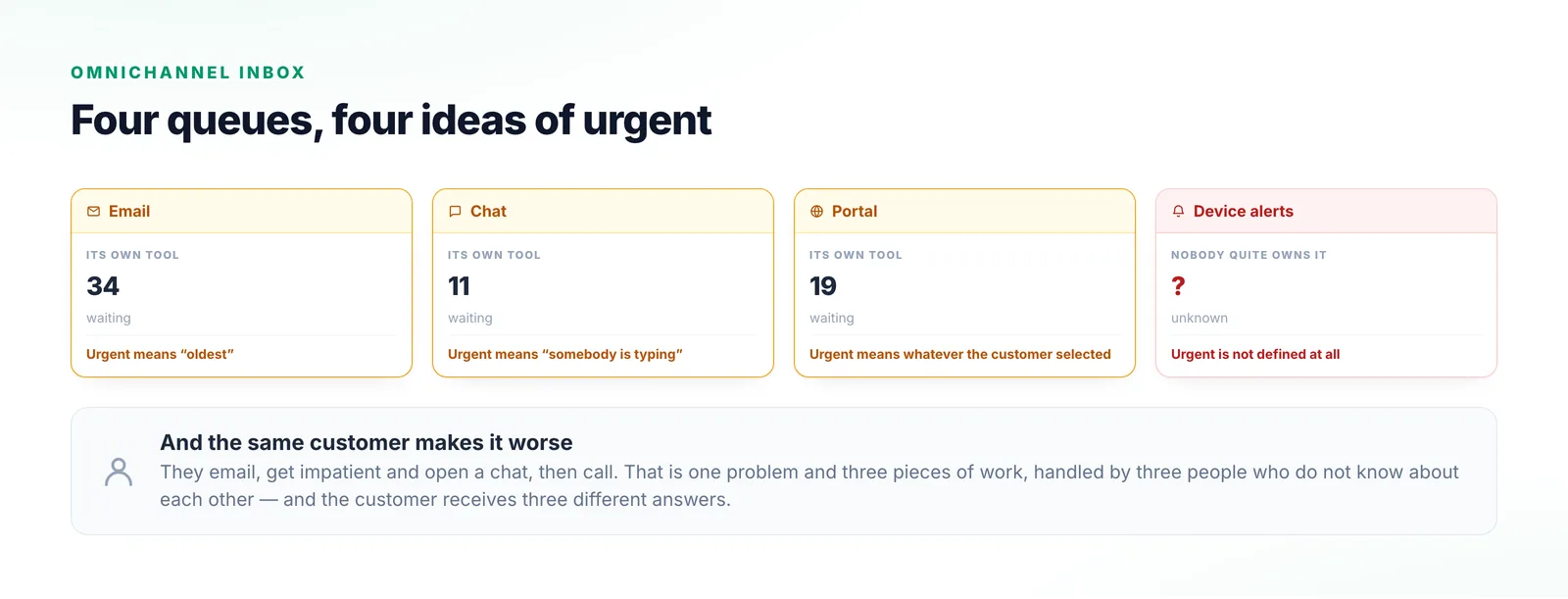
Email in one tool, chat in another, portal requests in a third and device alerts in a fourth — each with its own queue and its own idea of what counts as urgent. A single inbox is not a cosmetic improvement. It is the only way to know what your team is actually facing this morning.
Each channel arrived separately and brought its own tool. Email lives in one place, chat in another, the portal in a third, and device alerts land somewhere nobody quite owns.
What nobody has is the total. A support lead cannot say what the team is facing without opening four things and adding them up. The same customer makes it worse: they email, then chat, then call — one problem, three pieces of work, three answers.
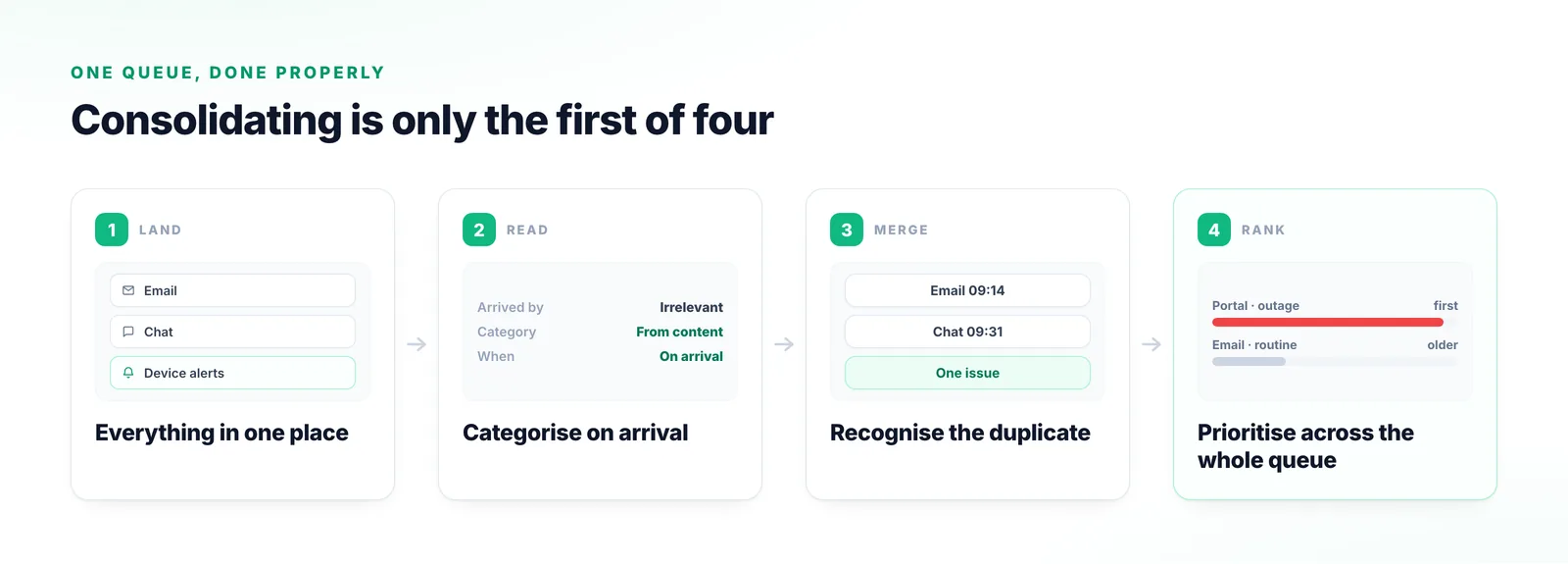
Combining the channels is the easy half. The other three steps are what make it usable.
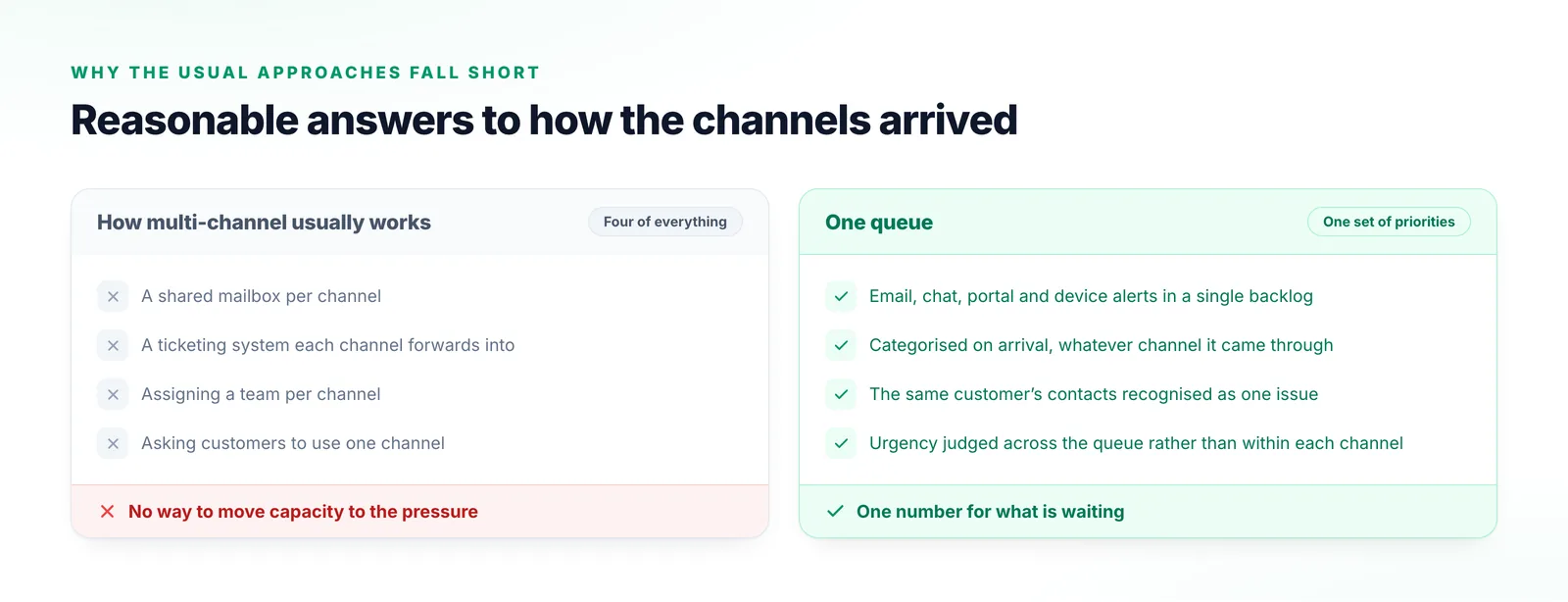
Email, chat, portal requests and device alerts arrive in a single queue rather than four backlogs nobody can add together.
Each request is read and classified as it lands, so what it is about no longer depends on which channel it came through.
When the same customer raises the same problem across channels it is recognized as one issue rather than worked three times.
Urgency is judged across the whole queue, which is the only way an urgent portal request can outrank a routine email that arrived first.
The third one is the change most teams notice and had not predicted.
One queue means one number for what is waiting, one prioritization, and one place where a building spike is visible — none of which exist across four tools.
Somebody who emails, then chats, then calls is one person with one problem. Recognizing that stops three agents duplicating each other and stops three inconsistent answers.
In separate queues a request inherits the urgency of its channel rather than its content. One queue is what makes urgency a property of the request.
Every one of these is a reasonable response to how the channels arrived.
Each channel is manageable on its own, and nobody can see the total.
Better, and it usually loses the conversational context on the way in.
Four teams, four backlogs, and no way to move capacity to the pressure.
They will not, and it is a strange thing to want. People use whichever channel is nearest.
Inbox vocabulary, including the two words that get used interchangeably.
How a single queue gets narrowed to the view a support lead actually manages day to day.
The agent behind the queue: intake, categorization and prioritization across channels.
What each request looks like once the system understands its content rather than storing it.
AI Inbox
Most teams have never seen their real total. Tell us which channels you run and we will show you what one prioritized queue across them looks like.
Talk to us