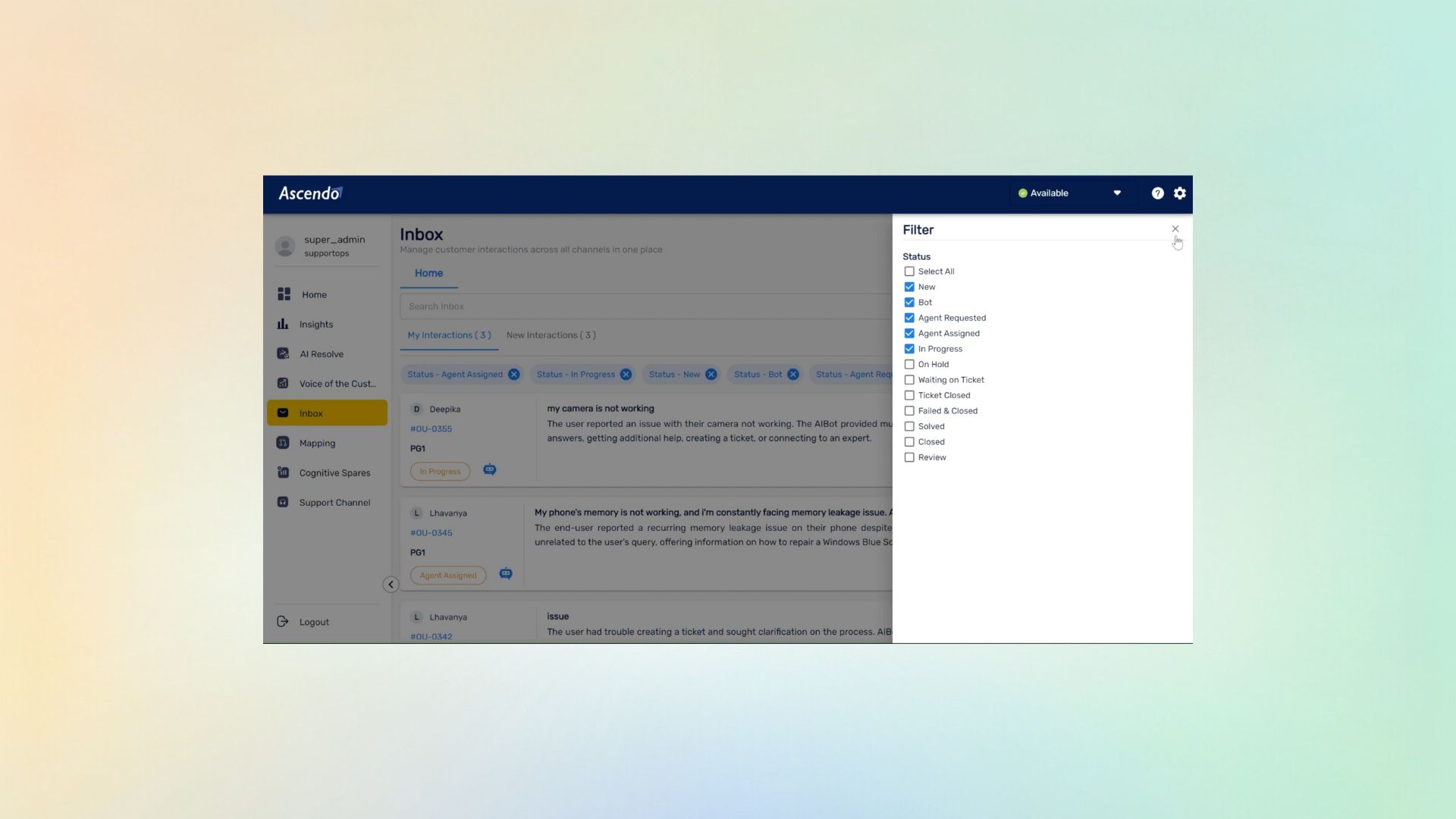
AI Inbox

Filters in the AI Inbox

A single queue across every channel is only useful if somebody can narrow it to the part they own. Filters are what turn one large inbox into the working view a support lead actually manages — by product, severity, customer tier, channel or SLA risk.

  • Narrow by product, severity, tier, channel or SLA risk
  • Build the view you manage rather than watching all of it
  • Combine filters to isolate what is at risk right now
  • The small feature that decides whether a shared queue works

Watch the full tour

Verify your work email once and every research paper, case study and product tour on ascendo.ai opens, right here, without leaving the page.

  • Takes about 30 seconds
  • Work email only, no spam

A shared queue is unusable until it can be narrowed

Consolidating every channel into one inbox solves a real problem and immediately creates a smaller one. The total is now visible, which is what you wanted, and nobody actually works on the total.

Without a way to cut it, everybody stares at the same undifferentiated list and filters it in their head — slow, inconsistent between people, and precisely the work that quietly reintroduces the separate queues. That is why shared inboxes fail: the last step never got finished.
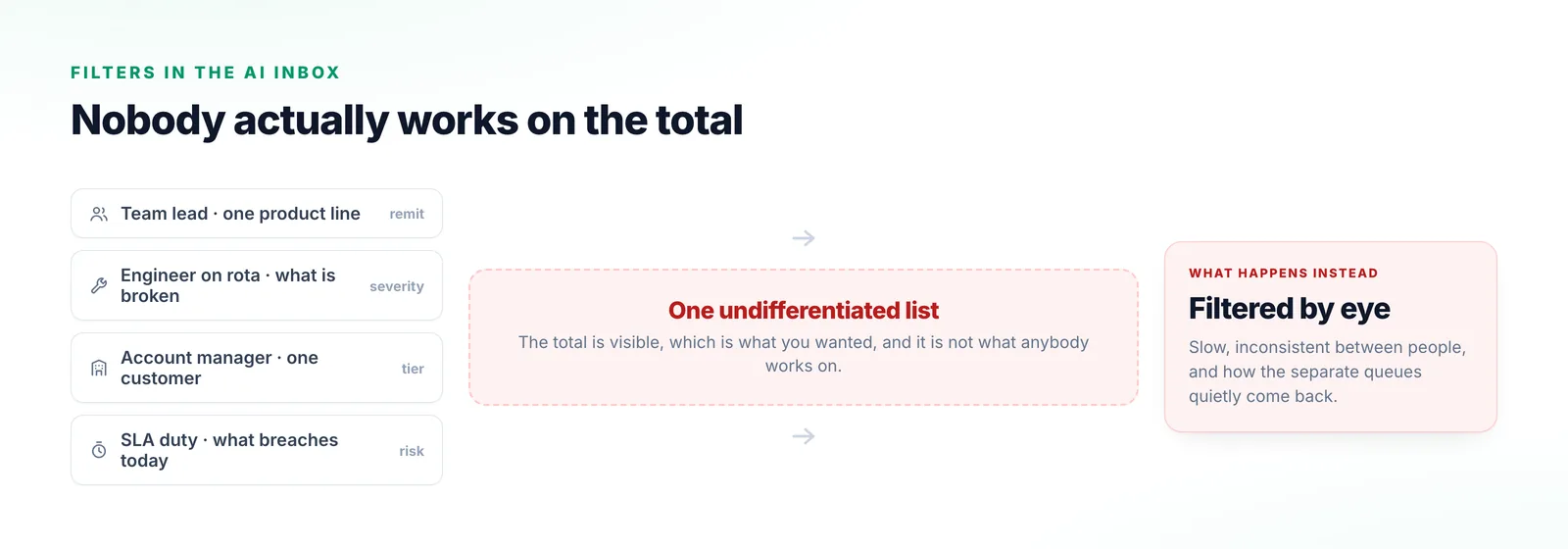
Four roles each needing a different slice of the same consolidated queue, meeting one undifferentiated list, and ending with each person filtering it by eye.
Consolidating was right. The last step never got finished, so four people re-derive four views by eye every morning.

Building a view you can actually work

Four cuts, and the fourth is the one that changes how a day goes.

  1. Step 1

    By product

    Narrow to the product line you are responsible for, so the queue reflects your remit.

  2. Step 2

    By severity

    Separate what is broken from what is a question.

  3. Step 3

    By customer tier

    Isolate the accounts with commitments attached, so a strategic customer stops sitting behind routine volume.

  4. Step 4

    By SLA risk

    Surface what is approaching a breach rather than what arrived earliest. This is the view a support lead checks first thing.
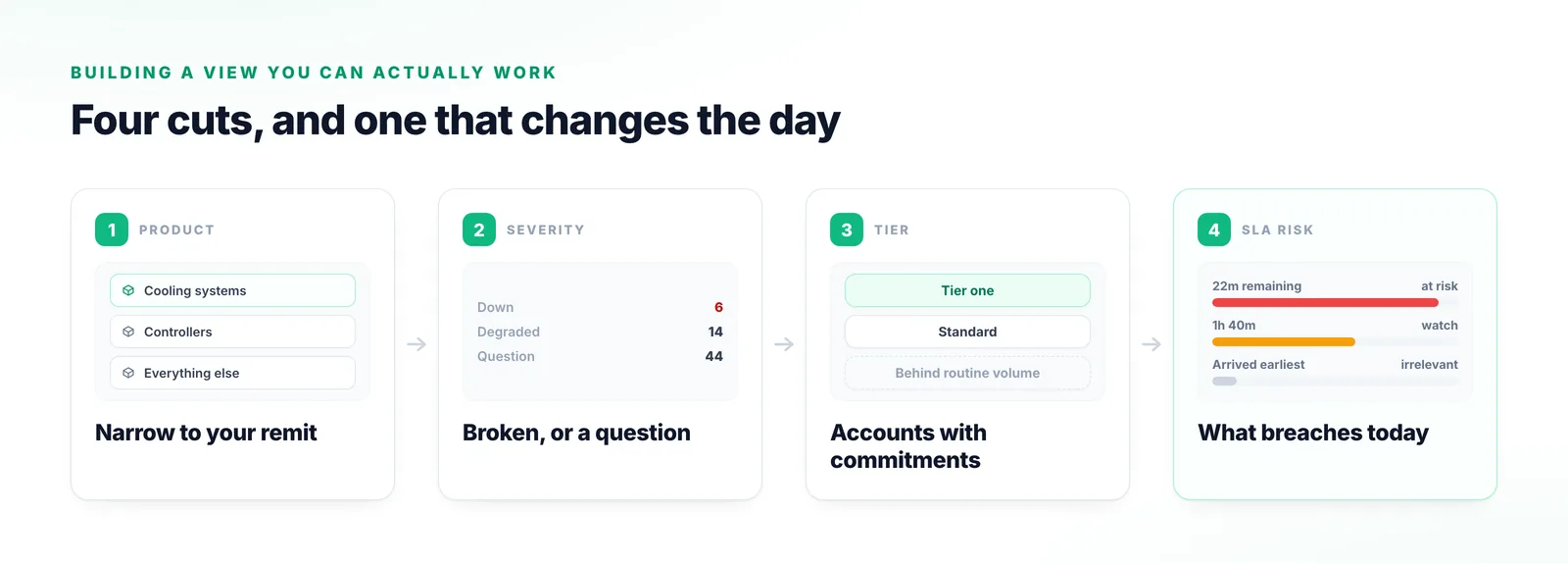
Four cuts through a shared queue: by product line, by severity, by customer tier, and by SLA risk, with the last showing what is approaching a breach rather than what arrived earliest.
The fourth cut is the one a support lead opens first thing, because it answers what will hurt today.

Why a small feature decides a large one

This is the difference between a queue that is managed and one that is merely watched.

It decides whether any of the rest gets used

Filters look minor next to the intelligence in the platform, and they determine whether it is ever reached. A queue that cannot be narrowed is watched rather than managed.

Everybody needs a different cut

The team lead, the engineer on rota, the account manager and the person on SLA duty are looking at one queue for four unrelated reasons. No default view serves them.

Combining them is where it earns its keep

Any single dimension is coarse. The useful views are intersections — high severity, one product line, tier-one customers, approaching an SLA — which no sort order can answer.
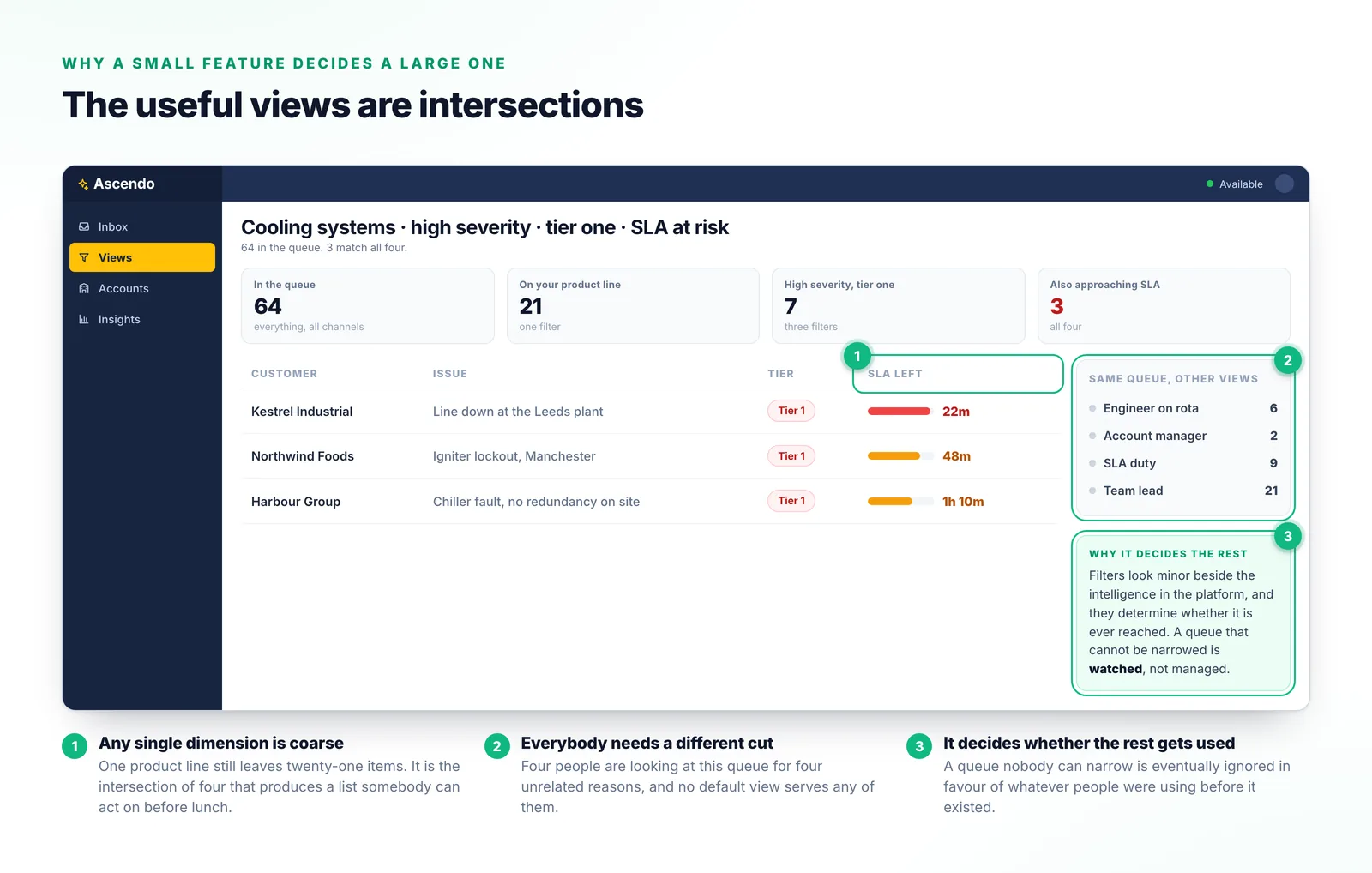
A support queue narrowed by four filters at once — one product line, high severity, tier-one customers and approaching SLA — reducing sixty-four items to three that need attention now.
Sixty-four items down to three, and no sort order could have produced this list from any one of those four dimensions.

Why the usual approaches fall short

Three of these rebuild the problem consolidation was meant to solve.

Separate queues per team

Gives everyone their own view and takes the total away again.

Sorting by date

Treats arrival time as the most important fact about a request. It is rarely in the top three.

Manual assignment into buckets

Somebody spends their morning distributing work, and the buckets go stale.

Saved searches in a ticketing tool

Closest to the right idea, and usually built on fields the customer filled in.
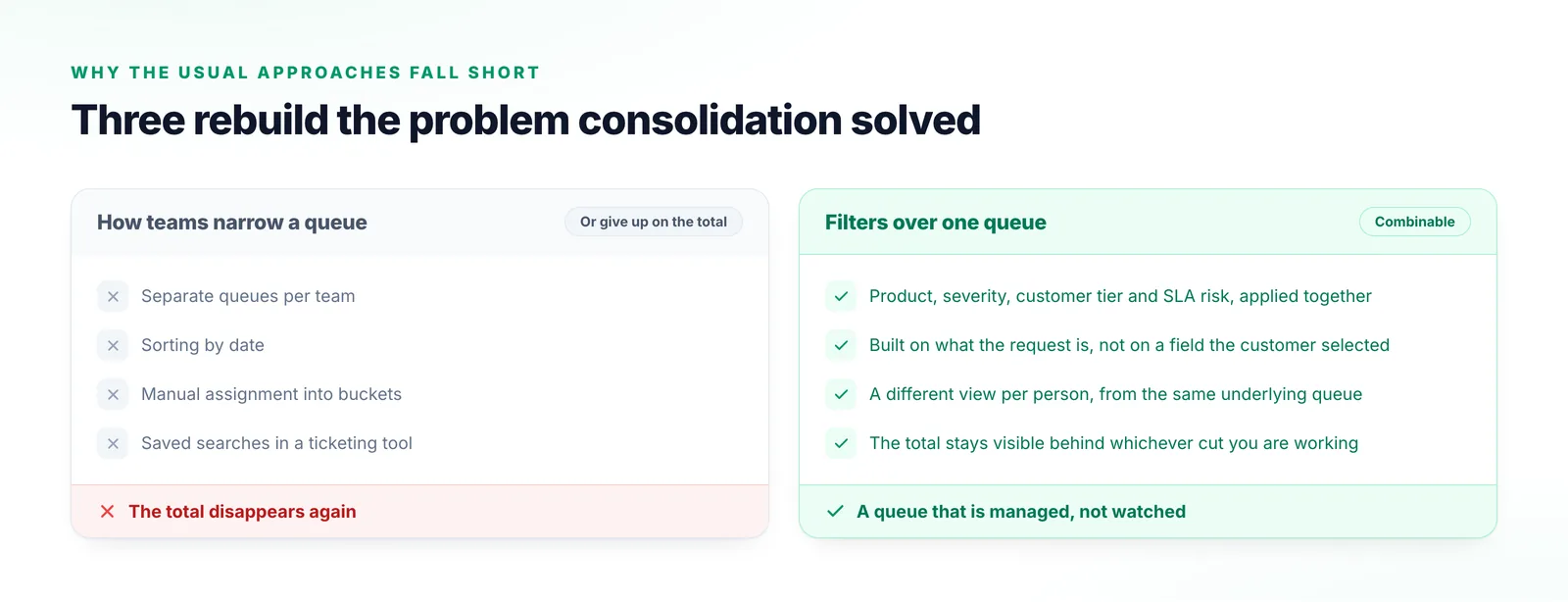
Two columns comparing separate queues per team, sorting by date, manual assignment into buckets and saved searches on form fields with combinable filters over a single queue.
Saved searches come closest and are usually built on fields the customer filled in, so the filter inherits data nobody trusts.

What things are called

Age and risk in particular are not the same thing.

AI Inbox
The single queue every channel arrives into, categorised and prioritised together.
Filter
A cut across that queue — by product, severity, customer tier, channel or SLA risk.
View
A combination of filters somebody works from day to day.
SLA risk
How close a request is to breaching its commitment, as opposed to how long it has existed.
Customer tier
The commitment level attached to an account, used to weigh its requests against others.

Frequently Asked Questions

Because it is the feature that decides whether a shared inbox survives contact with a real team. Consolidating the channels is the impressive half; being able to narrow the result is the half that determines whether anyone is still using it in month three.

AI Inbox

Describe the view you wish you had

Most support leads already know the cut they want and cannot build it in the tools they have. Tell us what it is and we will show it to you against your own queue.

Talk to us