The workflow is unchanged around it
Creation, assignment, escalation, approvals, SLAs and reporting all work exactly as today. What is added sits inside that process rather than alongside it.
A practical walkthrough for teams who have standardised on ServiceNow and need to know exactly what changes in the agent workflow before committing to a pilot: where suggestions appear, what an agent does with one, and what ends up written back to the incident.
Teams that have standardised on ServiceNow have spent years getting the process right, and the people who own it are appropriately conservative about changing it.
What a change board wants is not whether the AI is good but a walkthrough: what appears, where, what the agent does with it, and what ends up in the record. Without that, everybody agrees it looks useful and nobody can describe the change precisely enough to approve it.
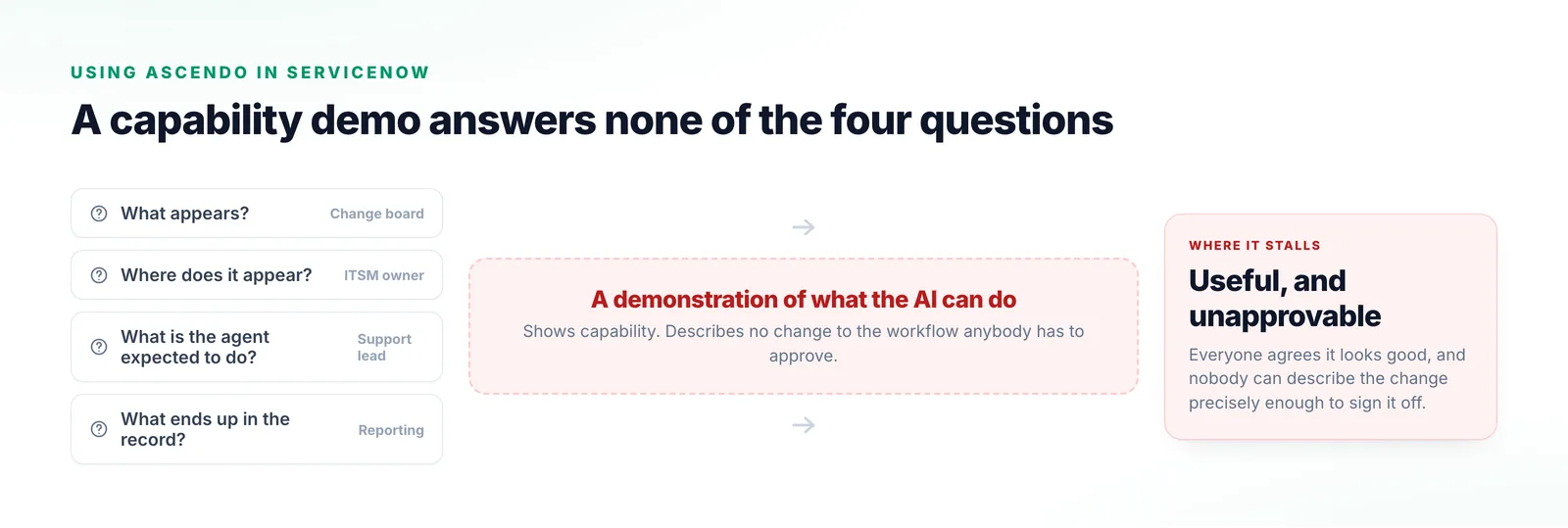
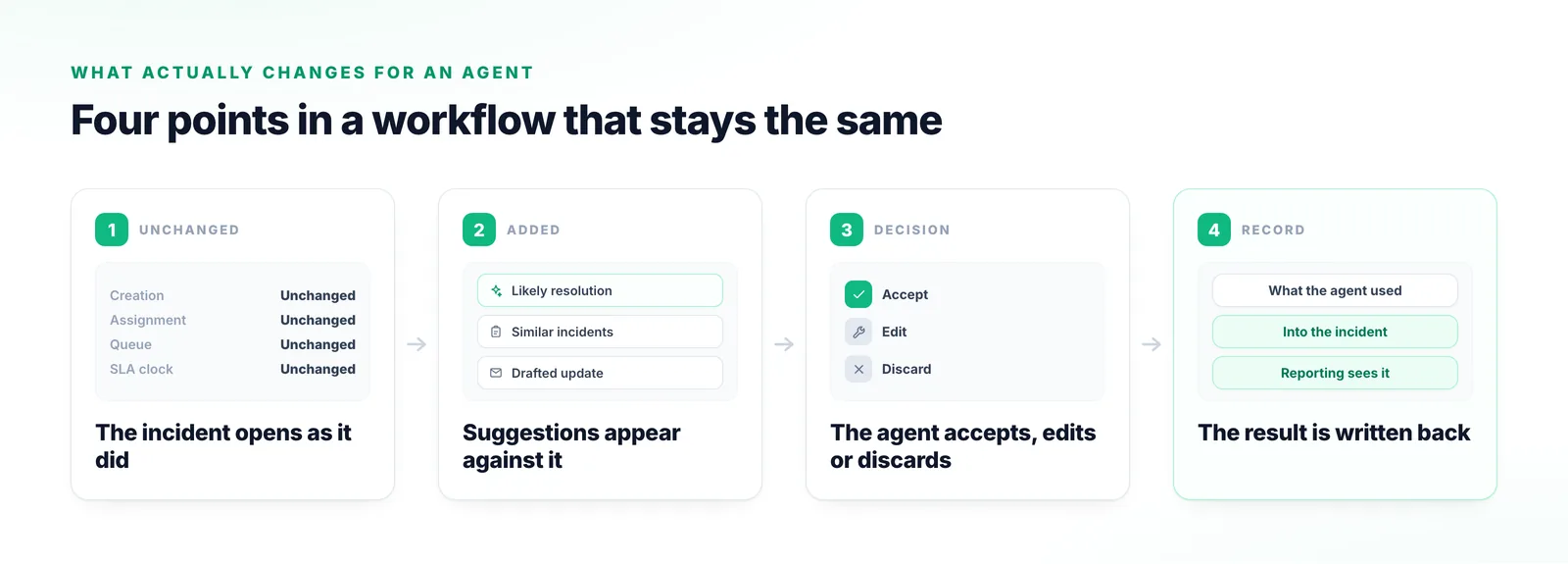
Read this as the before-and-after your change board is asking for.
Nothing about creation, assignment or the queue changes. The agent opens the same record in the same place.
The likely resolution, similar incidents and a drafted update appear alongside the record.
Nothing is applied automatically. The agent judges the suggestion, adjusts it, or discards it where it does not fit.
What the agent used ends up in the record, so your reporting sees what it always saw.
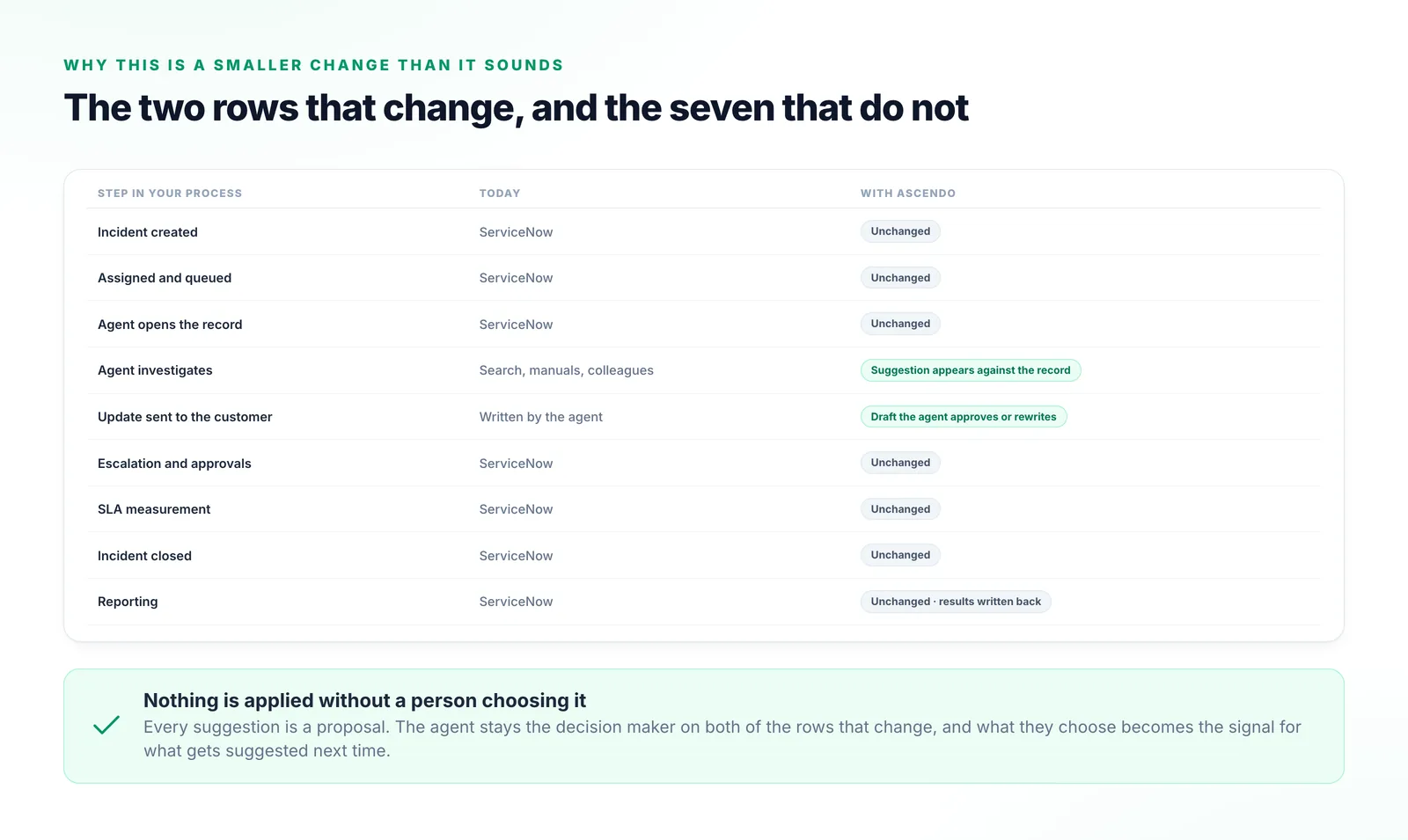
Three things a change board normally wants confirmed in writing.
Creation, assignment, escalation, approvals, SLAs and reporting all work exactly as today. What is added sits inside that process rather than alongside it.
Every suggestion is a proposal. Nothing is applied or sent without a person choosing it, and that choice becomes the signal for the next one.
What was used is written back, so the incident tells the whole story. That is what keeps ServiceNow authoritative and your reporting honest.
Each of these answers a question nobody was blocked on.
Shows what the AI can do, not what changes for an agent.
Tests the model and not the integration, which is what actually decides adoption.
Proves the pipeline runs, and says nothing about whether it helps on your incidents.
Removes the ability to compare, so afterwards nobody can say whether it worked.
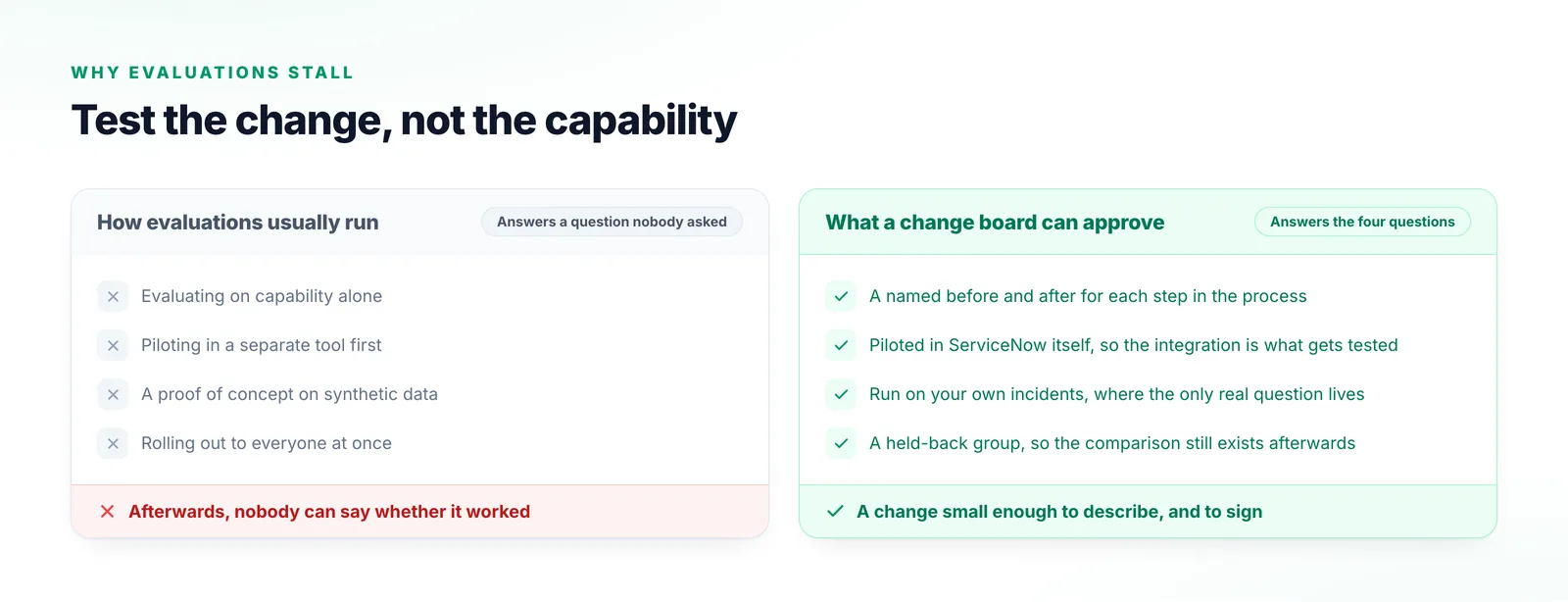
The words that will appear in the change request.
What appears in the incident, and what the suggestions are grounded in.
The administrator’s half: scope, data flow, and what stays authoritative where.
A published ServiceNow deployment, and what changed in their support operation.
ServiceNow
Bring the people who have to approve it. We will go through exactly what changes in the agent workflow, and — just as importantly — what does not.
Talk to us