Resolution Agent

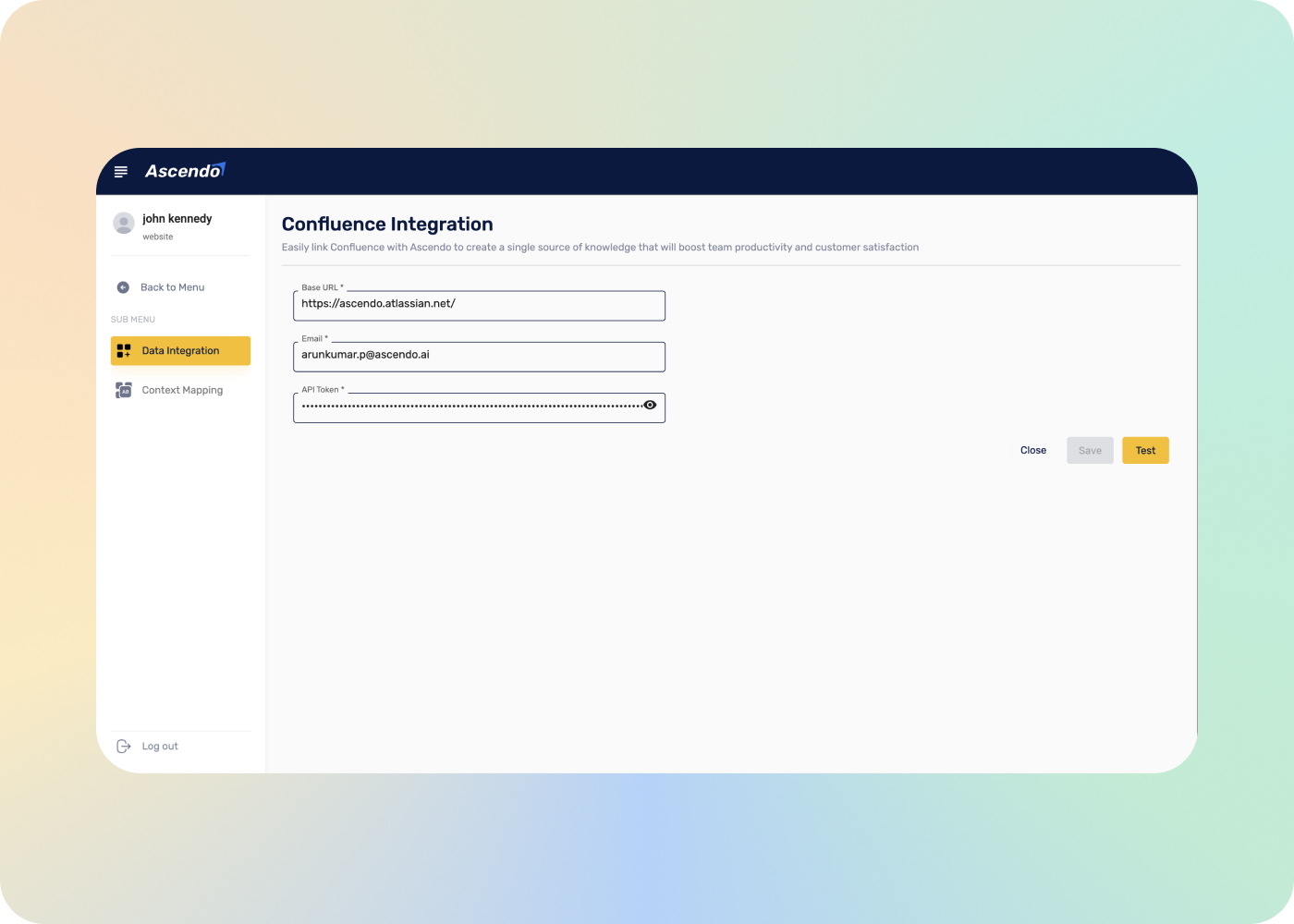
Confluence integration

A setup walkthrough for connecting a Confluence instance to Ascendo: which spaces get indexed, how content stays in sync as pages change, and what agents can reach once the connection is live.

  • You choose which spaces are indexed
  • Content stays in sync as pages change
  • Confluence stays the system of record
  • Visibility controlled by product group mapping

Watch the full tour

Verify your work email once and every research paper, case study and product tour on ascendo.ai opens, right here, without leaving the page.

  • Takes about 30 seconds
  • Work email only, no spam

The questions an admin asks before approving a connection

The agent-facing tour makes the case. This is the conversation that gets it approved, and it is held with whoever owns the Confluence instance.

Their questions are specific: which spaces, what happens when a page is edited or deleted, who can see what afterwards, and whether anything is copied out to somewhere it will quietly go stale. The last one decides whether you end up maintaining documentation in two places.
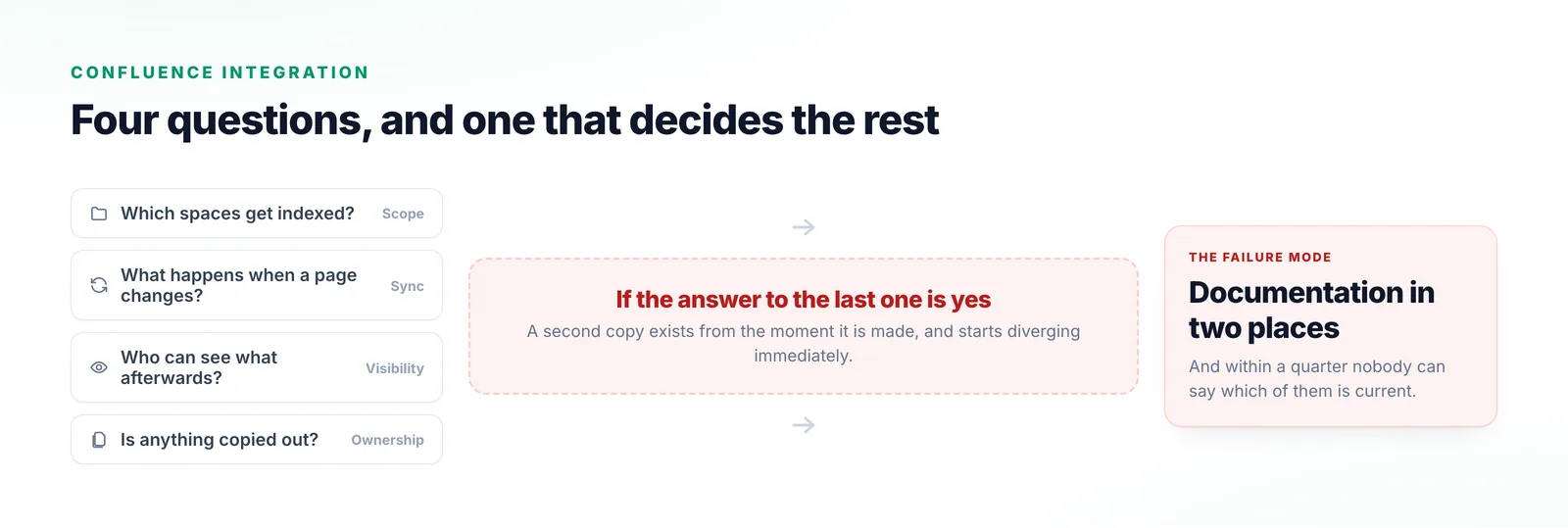
Four questions from a Confluence owner about which spaces, page edits, visibility and copying, converging on the one that decides the outcome and an unwanted result of documentation maintained twice.
The last question is the one that decides it, because every wiki owner has already lived through the answer going the wrong way.

What the connection does

Nominated spaces, screened on the way in, kept current afterwards.

  1. Step 1

    Choose the spaces

    You nominate which spaces are indexed rather than granting access across the instance.

  2. Step 2

    Screen on the way in

    Content passes the PII Redaction agent as it is ingested, before it reaches any reasoning or storage layer, on rules you configure.

  3. Step 3

    Comprehend and index

    Pages are indexed into a form Ascendo can reason across — tables and diagrams included — alongside your other sources.

  4. Step 4

    Keep it in sync

    Indexed content tracks pages as they change, so retrieval reflects the current version rather than a setup-day snapshot.
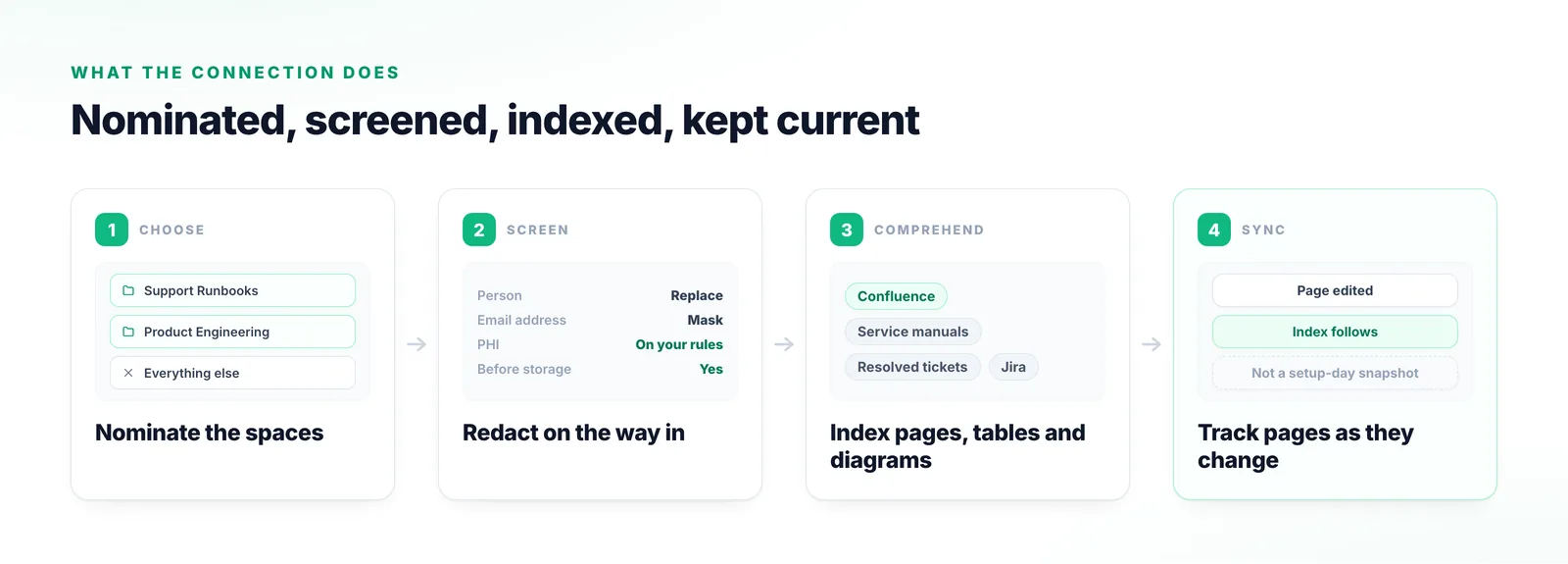
Four stages: nominating spaces rather than the whole instance, screening content at intake, indexing pages with their tables and diagrams alongside other sources, and tracking pages as they change.
Nominated spaces rather than instance-wide access is what makes this a short conversation with whoever owns the wiki.

The three things a wiki owner is actually asking

Ownership, visibility, and whether this creates a second copy.

Confluence stays the system of record

Nothing is copied out to live a second life. Pages stay owned by their authors and edited in Confluence, and answers cite back to the original.

Visibility is controlled by mapping

Sources are mapped to products and product groups, and that mapping decides which teams reach which content.

It becomes one source among several

The point of connecting Confluence is not to search Confluence. It is that your wiki, your manuals and your resolved tickets can be reasoned over together.
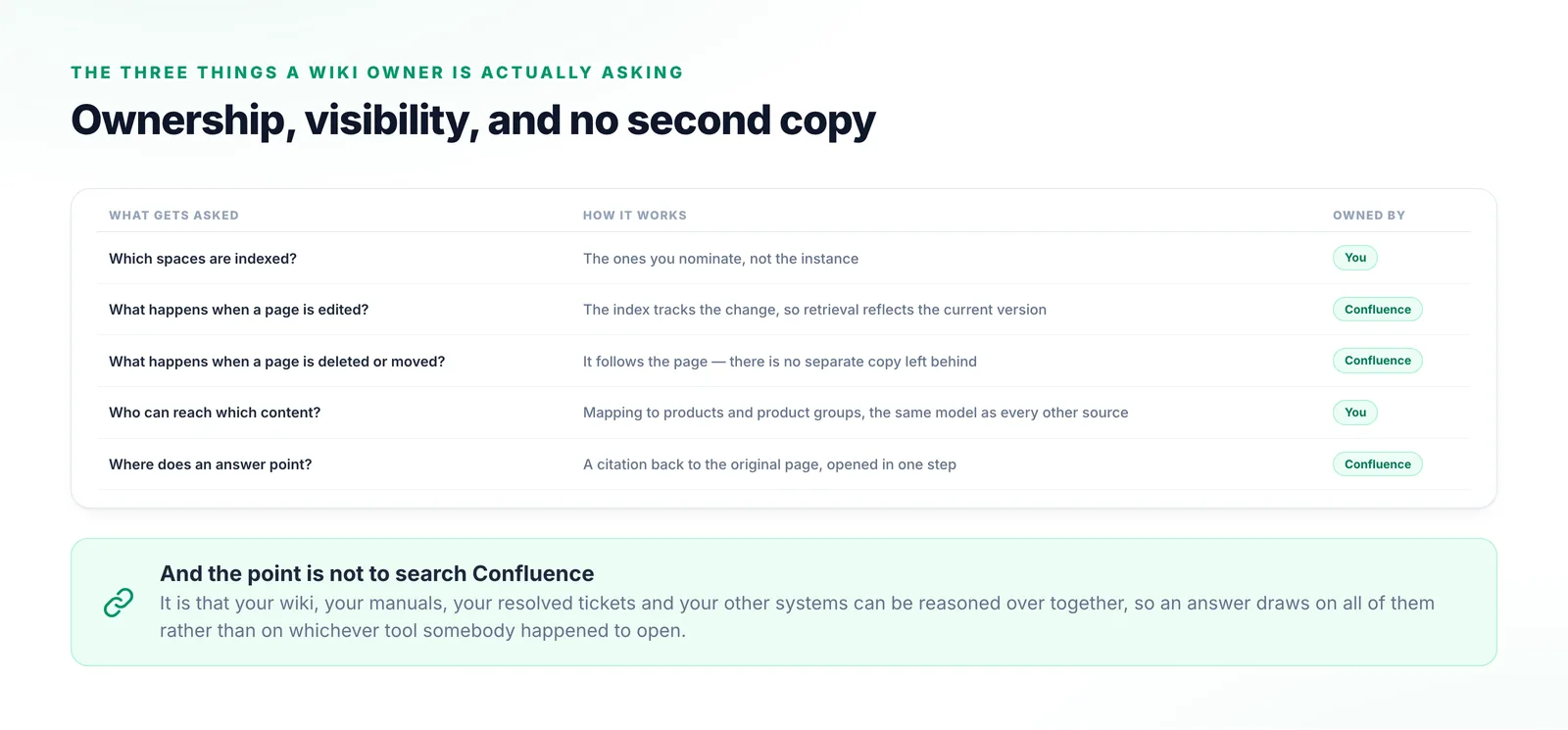
A five-row table pairing each question a wiki owner asks with how the connection answers it, covering scope, edits, deletions, visibility mapping and where an answer points.
Read down the right-hand column: every row keeps the page, its lifecycle and its permissions on the Confluence side.

Why the usual approaches fall short

Two create a stale copy, one is hard to defend, and one leaves the material stranded.

Exporting pages periodically

Grounded in the last export, and the gap since is where the wrong answer comes from.

Copying content into a support tool

Two copies, diverging from the moment they exist, and nobody able to say which is current.

Granting broad instance access

Simplest to set up and hardest to defend. Nominated spaces is a much shorter conversation.

Leaving Confluence unconnected

Agents bridge it by hand, and material you already wrote stays outside the system.
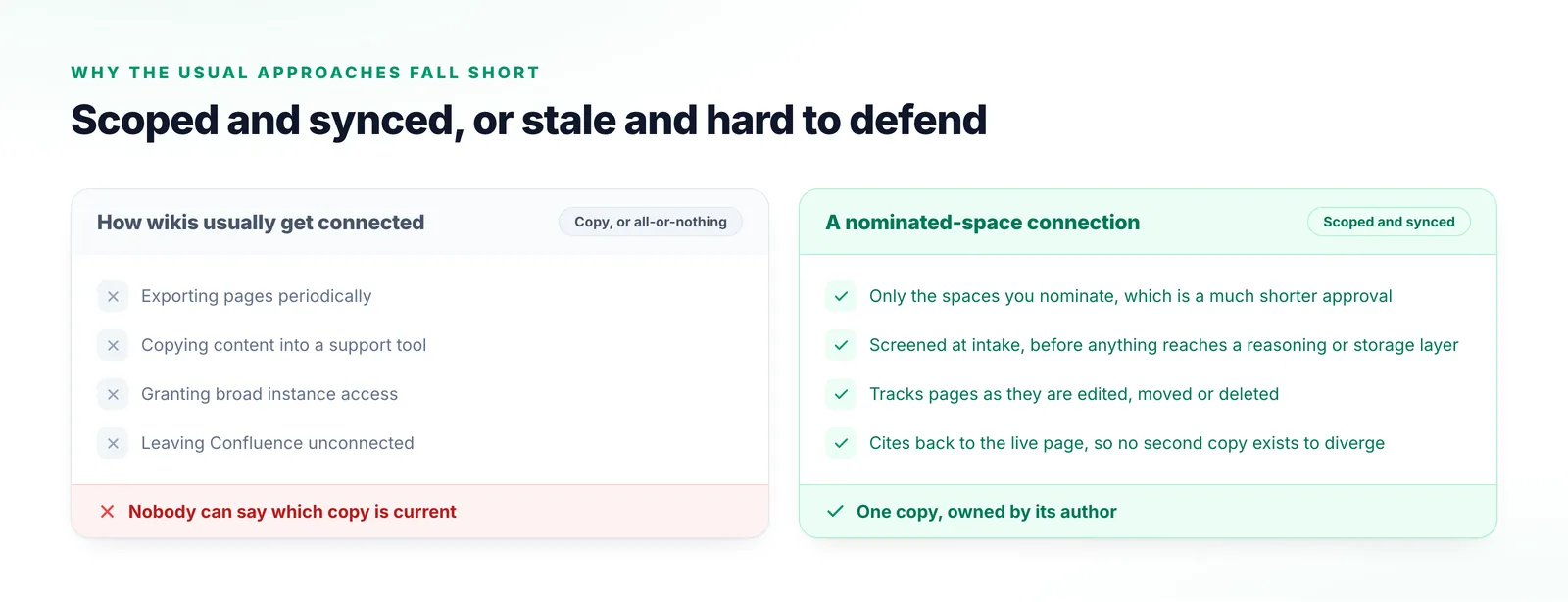
Two columns comparing periodic exports, copying content into a support tool, granting broad instance access and leaving Confluence unconnected with a scoped, synced connection.
Two of these create a stale copy, one is hard to defend to the instance owner, and one strands material you already paid to write.

What things are called

The terms an integration review will use.

Space
A Confluence area holding related pages. The unit you nominate for indexing.
Data source
A connected system Ascendo indexes and reasons over.
Mapping
Associating a source with products or product groups, which also controls visibility.
Sync
Keeping the index current as pages are created, edited or removed.
Intake screening
Handling personal and health data as content enters, before any reasoning layer sees it.
Citation
The link back to the source page so an answer can be verified against the original.

Frequently Asked Questions

The ones your support and engineering teams already rely on. Starting narrow gives cleaner answers and a considerably shorter approval conversation than asking for the whole instance up front.

Resolution Agent

Bring whoever owns the instance

The scoping questions are best answered once, early. We will walk your Confluence owner through spaces, sync and permissions against your own instance.

Talk to us