Resolution Agent

AI Companion for Zendesk

The same idea applied to Zendesk: suggested answers, similar past tickets and a drafted reply alongside the ticket your agent is working — including the part that usually gets skipped, which is what an agent does when the suggestion needs editing before it goes out.

  • Suggestions and drafts alongside the ticket
  • Similar past tickets surfaced automatically
  • Editing is the normal path, not the exception
  • Zendesk stays the system of record

Watch the full tour

Verify your work email once and every research paper, case study and product tour on ascendo.ai opens, right here, without leaving the page.

  • Takes about 30 seconds
  • Work email only, no spam

The suggestion is right about the problem and wrong about the customer

Most evaluations test whether the suggested answer is correct. That is the easy half, and it is not what determines whether agents keep using it.

What matters is the far more common case where the suggestion is nearly right. If editing it takes as long as writing from scratch, the agent stops looking. The pitch shows the perfect answer; the queue is mostly the other one.
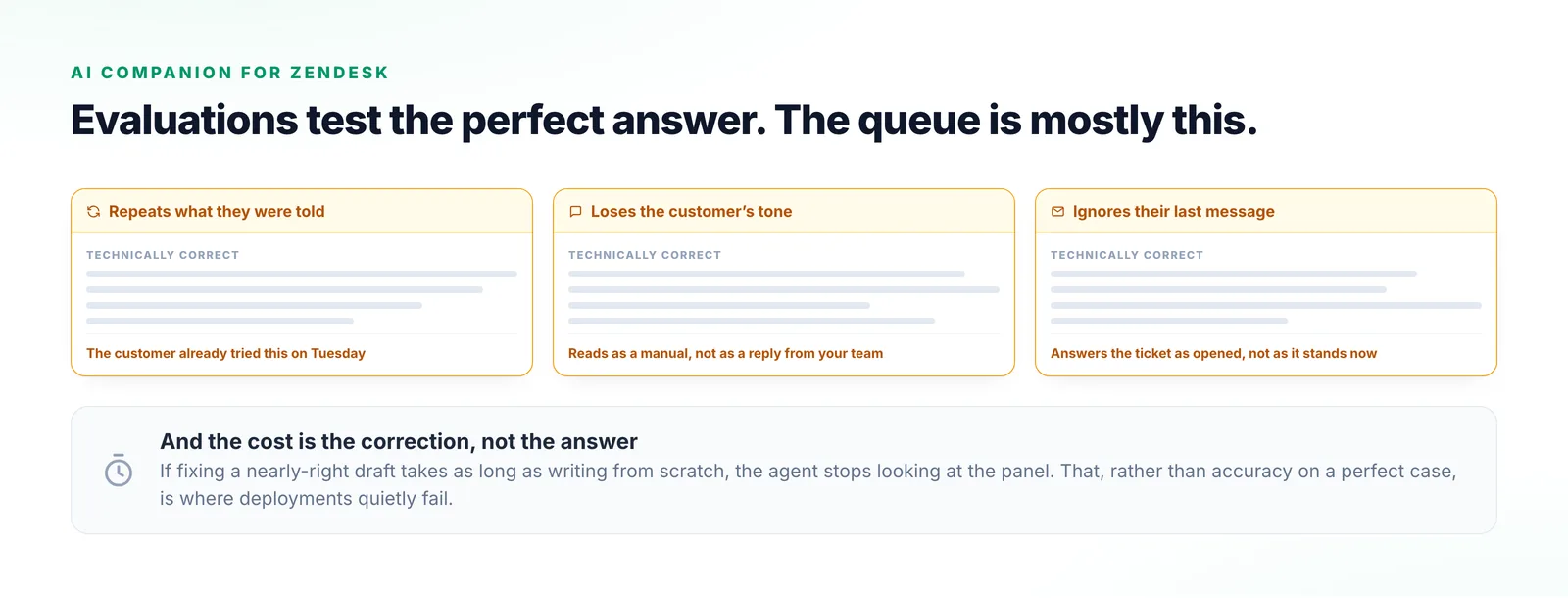
Three cards showing the ways a technically correct suggestion still misses: repeating what the customer was already told, losing their tone, and ignoring what they said in their last message.
All three of these suggestions are right about the fault, and each one costs the agent time to correct.

What an agent actually does with a suggestion

Three of these are preparation. The fourth is where the time is won or lost.

  1. Step 1

    See what resembles this

    Similar past tickets are surfaced alongside the current one, matched on the problem rather than on shared wording.

  2. Step 2

    Get a starting draft

    A reply is drafted from the resolution and the ticket context, as a starting point rather than a send.

  3. Step 3

    Check where it came from

    The sources are attached, so the technical detail can be confirmed before an agent puts their name to it.

  4. Step 4

    Edit and send

    The agent fixes the tone, drops what the customer already knows, and sends. How cheap that step is decides everything.
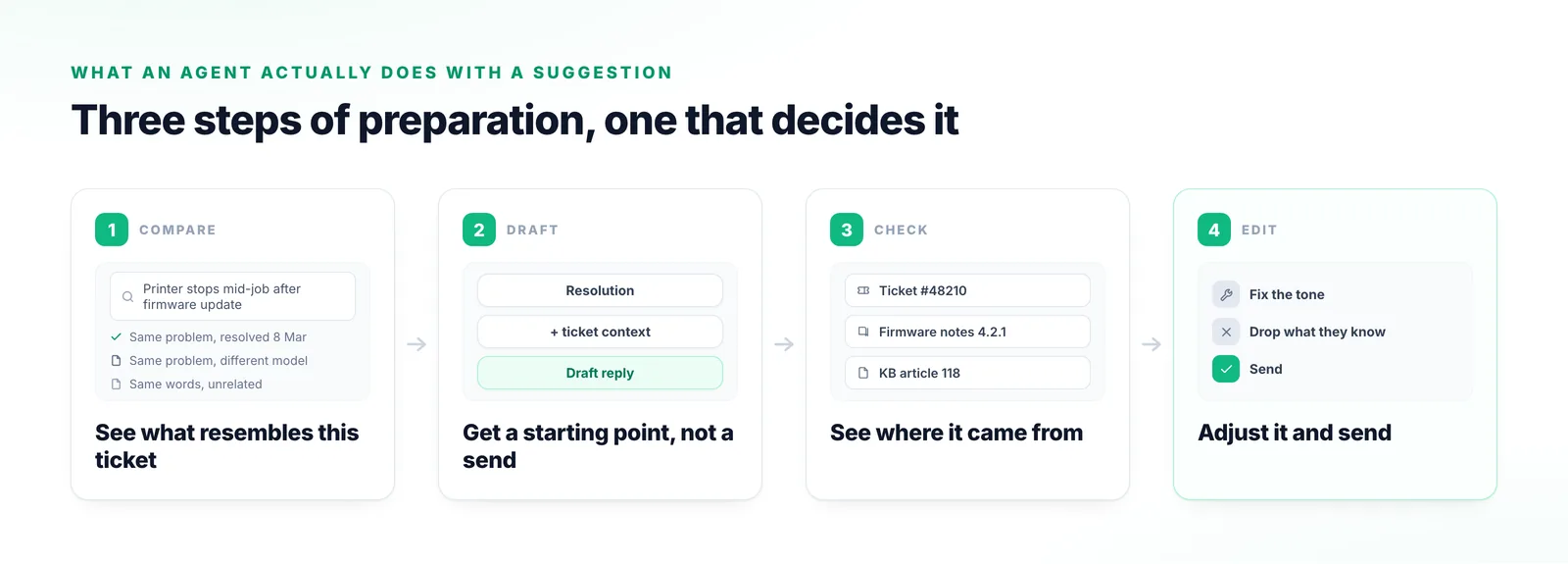
Four stages from surfacing similar past tickets, through a drafted reply and the sources behind it, to the agent adjusting the tone and sending.
Similar tickets, a draft and its sources, then the edit — the only one of the four stages a customer ever sees.

Three things that decide whether agents keep using it

None of them is how good the answer is on a perfect case.

The edit path is the real product

Perfect suggestions are a minority of any queue. What decides adoption is whether a nearly-right draft is faster to fix than to replace.

It lives beside the ticket

Everything appears next to the ticket the agent already has open in Zendesk. No second console, and no copying between systems while a customer waits.

Corrections are signal

What agents change is evidence. Consistent edits to the same kind of suggestion show where grounding is thin, and which categories are not ready for more autonomy.
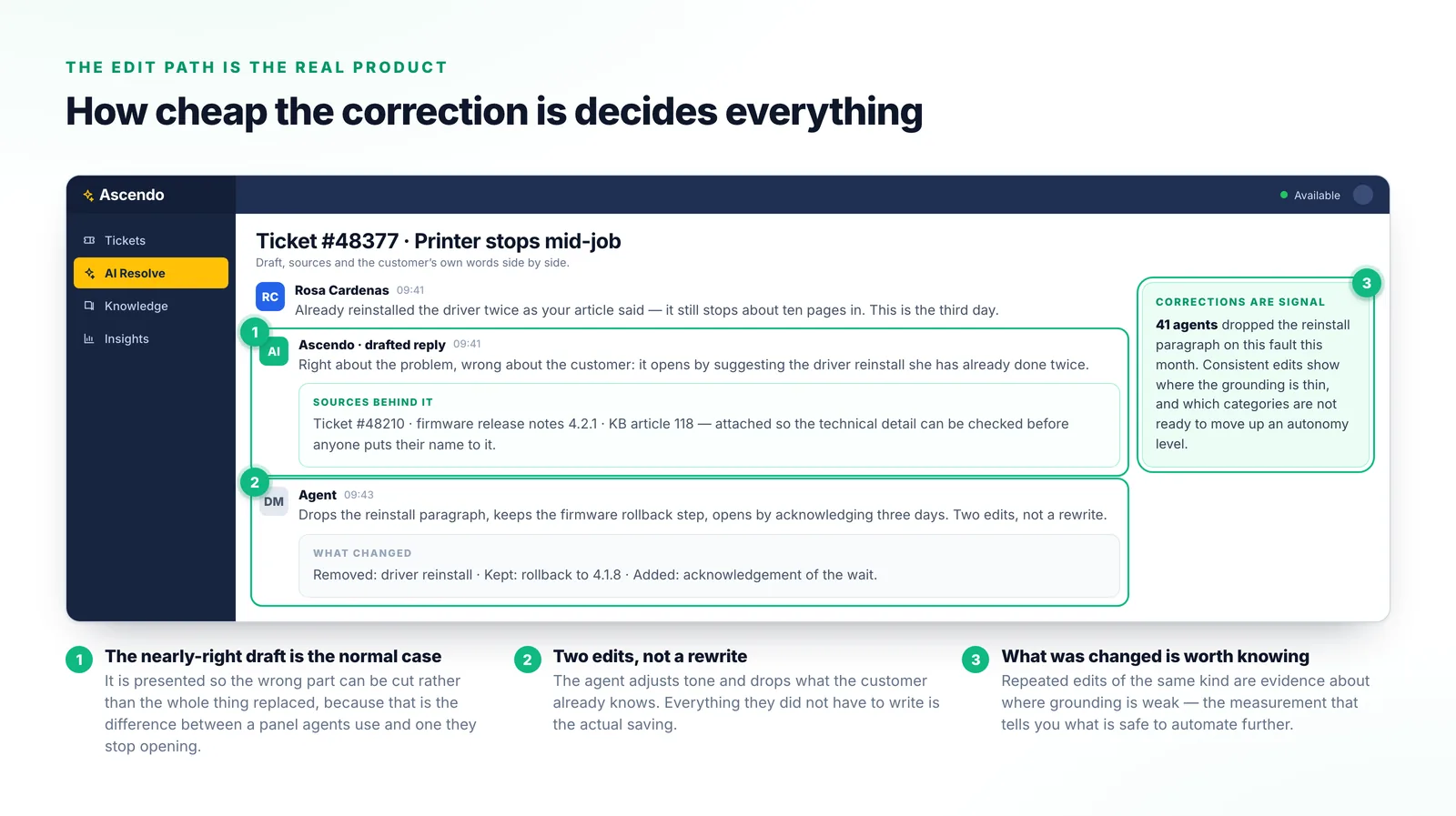
A ticket thread showing the customer’s message, Ascendo’s drafted reply with the sources behind it, and the agent’s two edits, beside a panel counting how many agents made the same correction.
A draft that opens with a step the customer had already tried twice, and the two edits that fix it without a rewrite.

Why the usual approaches fall short

Each one is fine on the easy tickets and no help on the rest.

Macros and canned responses

Fast for the cases somebody predicted. They do not read the ticket or know what was already tried.

A general assistant in another tab

The agent copies the ticket in and the answer out, which costs more than it saves.

Knowledge base search in the sidebar

Returns articles matching the words in the ticket, leaving the judgement where it was.

Auto-replying without review

Fine until the suggestion is confidently wrong to an important customer.
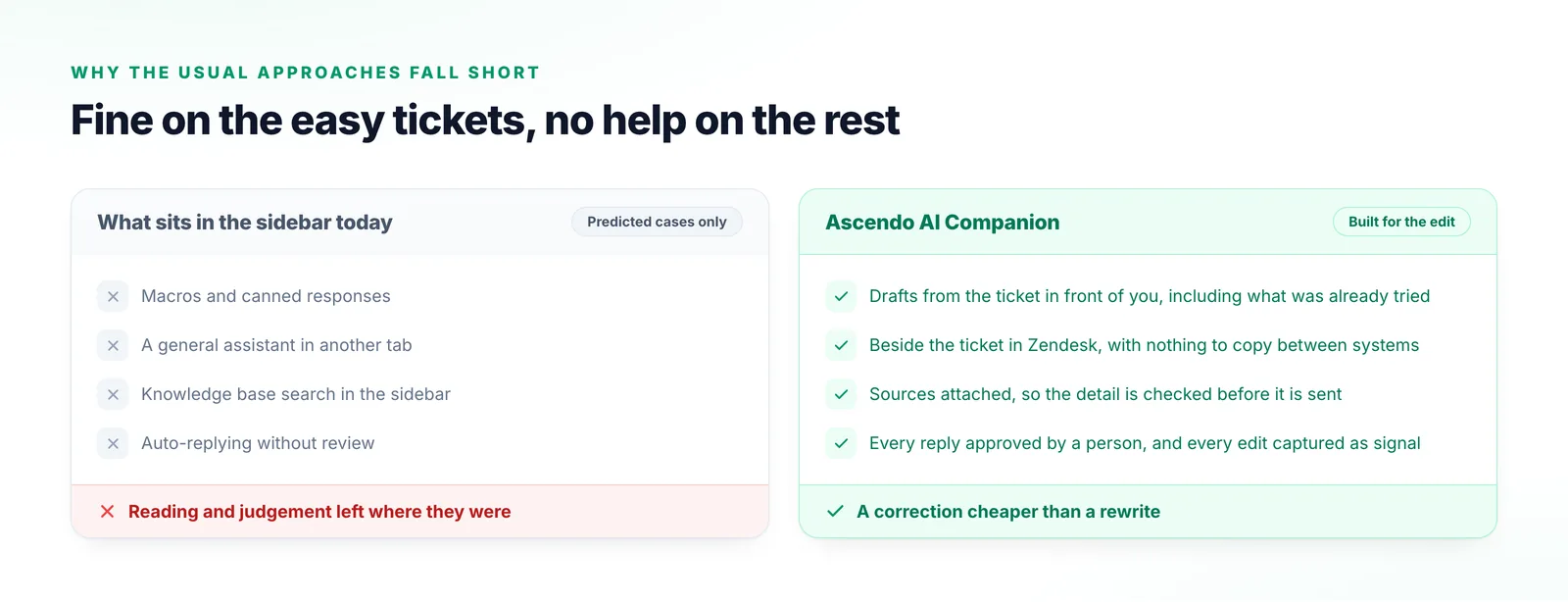
Two columns comparing macros, assistants in another tab, sidebar knowledge search and unreviewed auto-replies with a draft designed to be edited.
Macros are fast on the tickets somebody predicted. A queue is mostly the ones nobody did.

What things are called

Draft is doing real work in this vocabulary.

Ticket
The Zendesk record an agent works. Ascendo attaches to it rather than replacing it.
ResolveGPT
Ascendo’s resolution capability surfacing real-time recommendations and relevant information inside the tool an agent is using.
Similar tickets
Previously resolved records matched on the problem rather than on shared wording.
Draft
A prepared reply for an agent to edit and send. Not an automatic response.
Grounding
Restricting what the system answers from to your own documentation and resolved tickets.

Frequently Asked Questions

The agent edits it, which is the normal path rather than a failure. What matters is that editing a draft is genuinely faster than writing from scratch — if it is not, agents stop looking, and no amount of accuracy on the easy cases makes up for that.

Resolution Agent

Test it on the awkward tickets

Do not send us the easy ones. Send the tickets where the answer needed judgement, and we will show you how much of the work a draft actually saves.

Talk to us