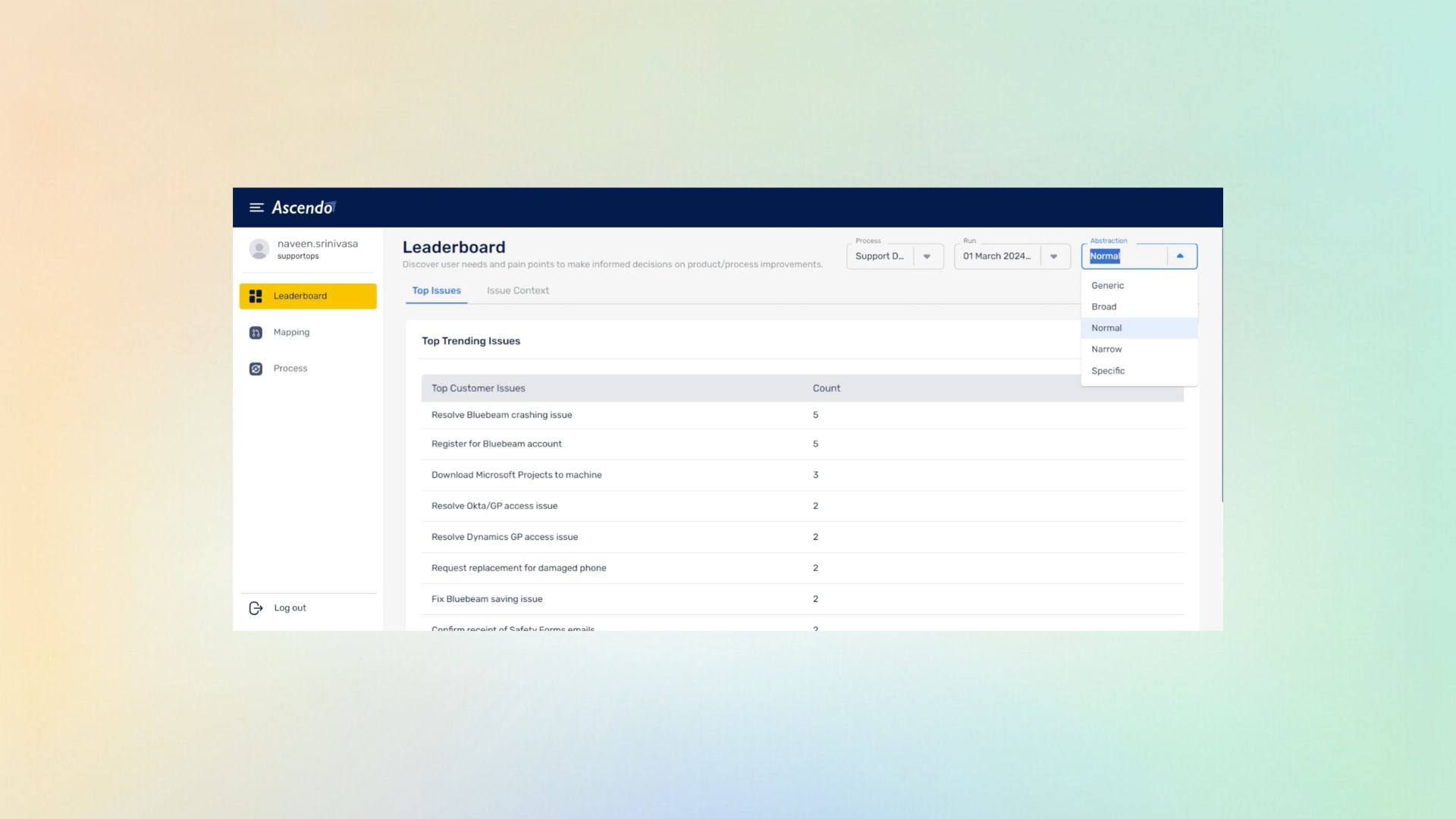
Granularity is a decision, not a default
Almost nobody chooses their taxonomy; they inherit it. Making the level explicit turns a constraint everyone works around into something you set.
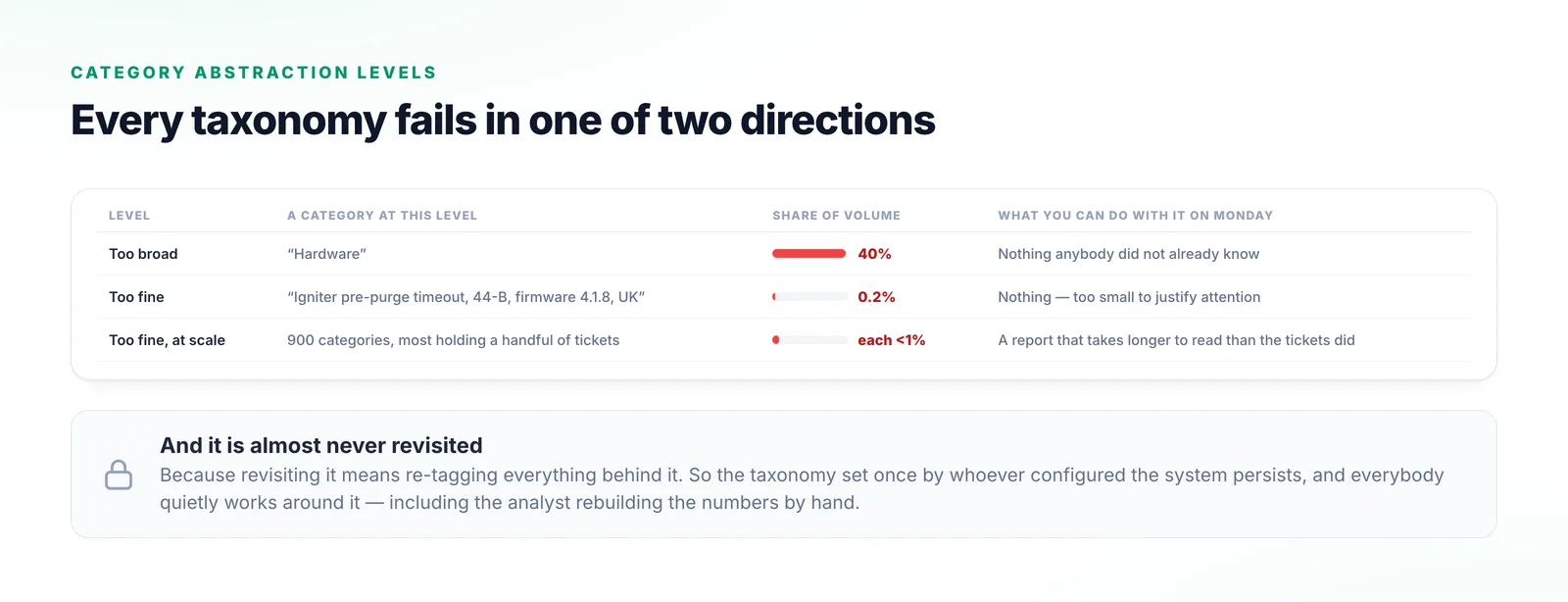
Categories that are too broad tell you nothing you can act on. Categories that are too fine turn reporting into a thousand rows with no signal in them. This is the setting that decides which of those you end up with, and it is worth choosing deliberately rather than inheriting from whoever configured the system.
Too broad, and the report is unarguable and useless. “Hardware” is forty per cent of your volume; everybody already knew that and nobody can act on it on Monday morning.
Too fine, and you get nine hundred categories, most holding a handful of tickets and none large enough to justify attention. The usual result is a taxonomy set once by whoever configured the system, never revisited because revisiting means re-tagging everything behind it.
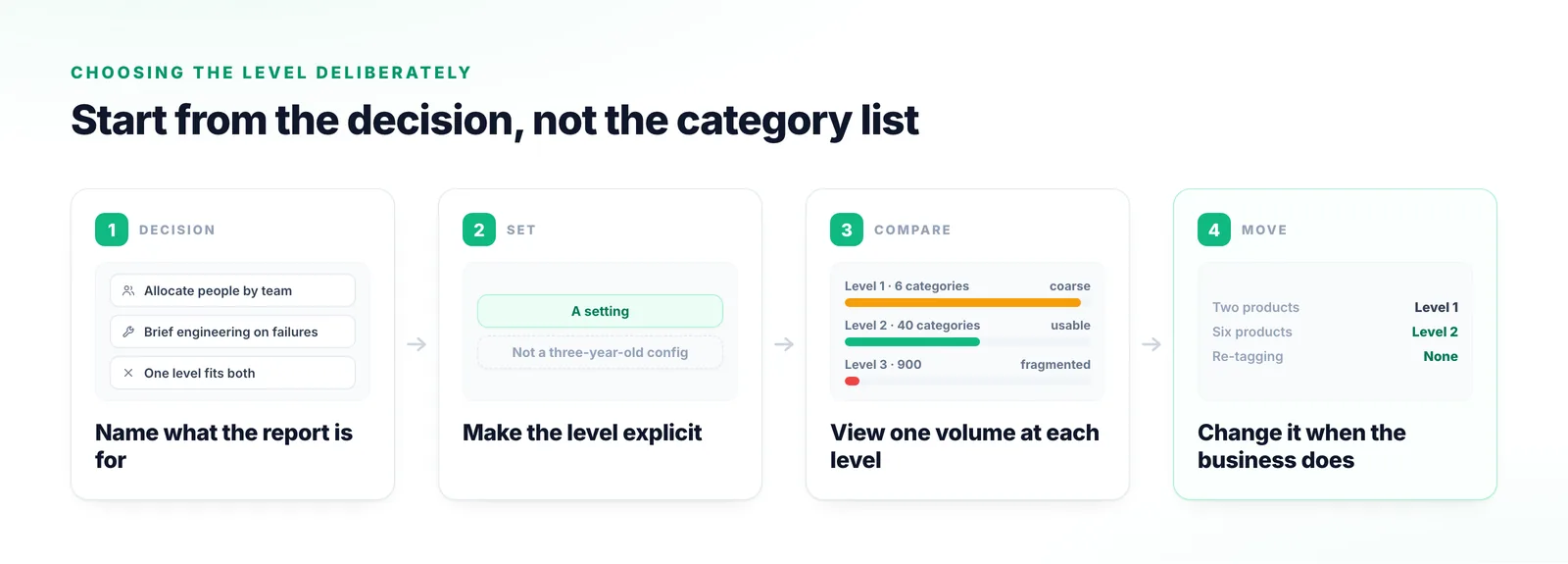
Start from the decision you make with the report, not from the list of categories.
The right granularity is whatever makes the decision you actually make. If you brief engineering on field failures, “hardware” is nowhere near specific enough.
The abstraction level is a setting rather than an accident of how somebody configured the system three years ago.
The same tickets are examined at different granularities, which makes the trade-off visible.
A taxonomy that fitted two products does not fit six, and the level can change when your products do.
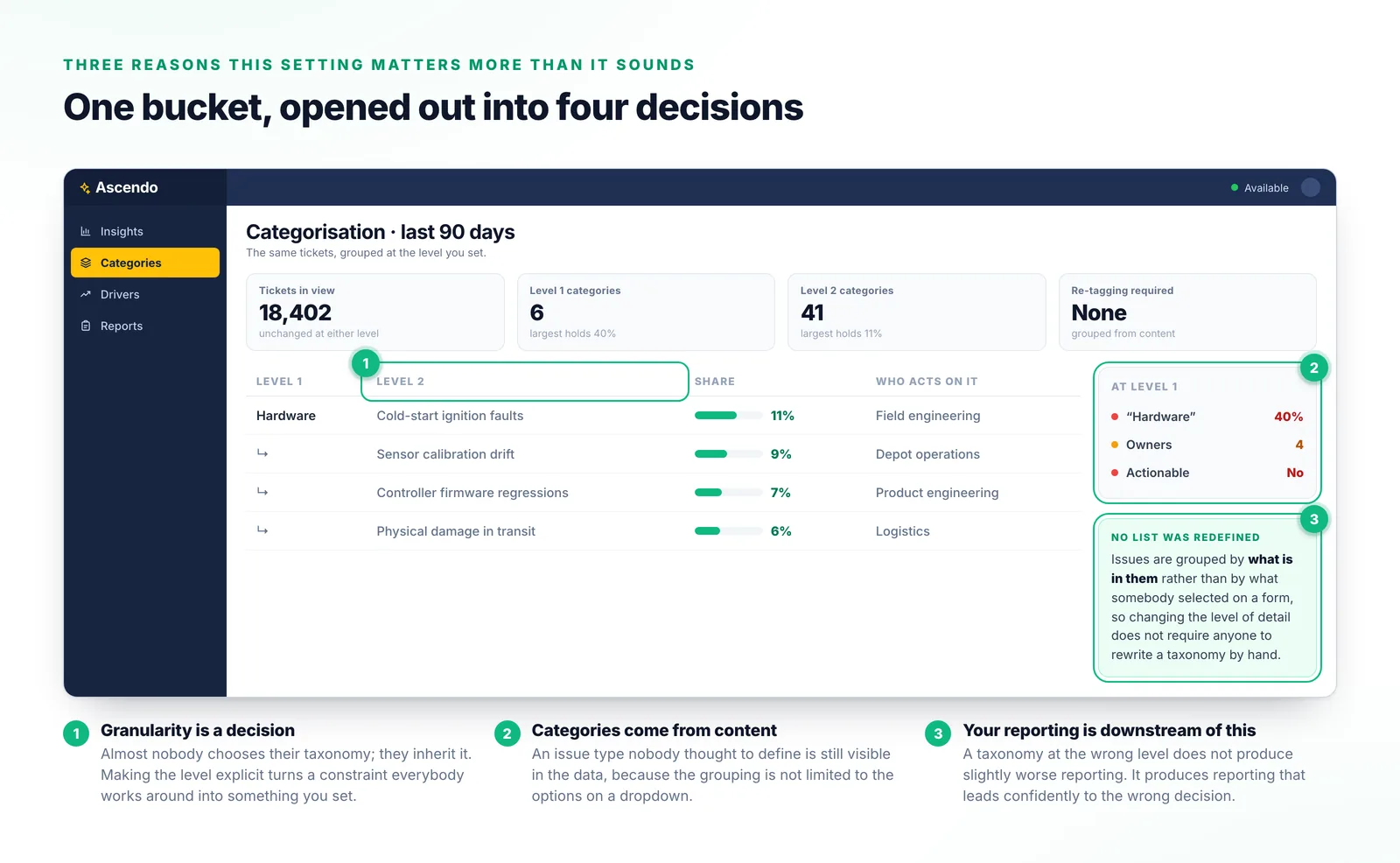
It looks like configuration. It is actually a setting on your reporting.
Almost nobody chooses their taxonomy; they inherit it. Making the level explicit turns a constraint everyone works around into something you set.
Because issues are grouped by what is in them rather than by what somebody selected, changing the level of detail does not require redefining a list by hand.
Every trend report and driver ranking is a count of these categories. A taxonomy at the wrong level produces reporting that leads confidently to the wrong decision.
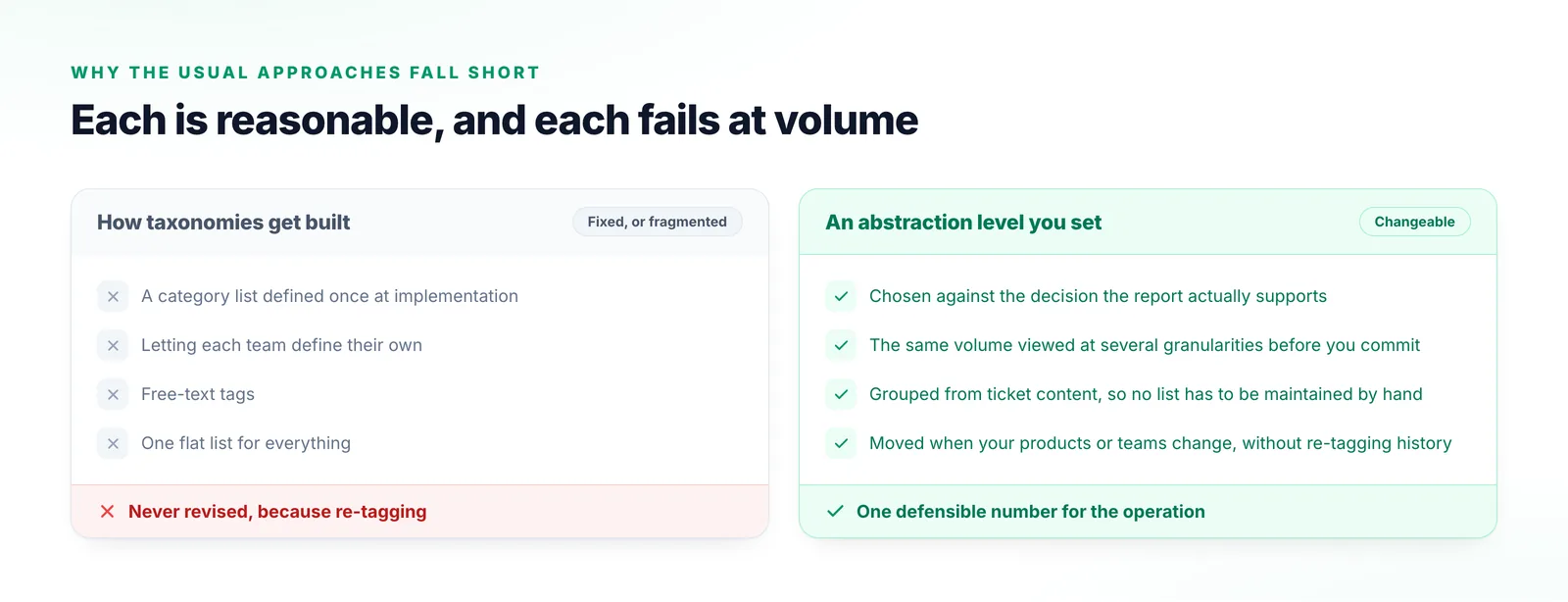
Each of these is a reasonable response to the problem, and each fails at volume.
Fits the products you had then, and never gets revised because revising means re-tagging.
Every team gets categories that suit them and nobody can produce a defensible number.
Flexible, and they fragment immediately into six spellings of the same tag.
Readable at fifty tickets a week. At real volume it is too coarse or too long to apply correctly.
Useful to agree on before the taxonomy conversation rather than during it.
The layer this configures: issue types applied to requests as they arrive.
What gets read before a category is applied, and why the reading matters more than the label.
The ranked view these categories feed, by volume and by impact rather than volume alone.
Voice of the Customer
Most teams already suspect their top-issues report is not right. Show us the one you produce today and we will show you the same volume at a level that answers the question you were asking.
Talk to us